
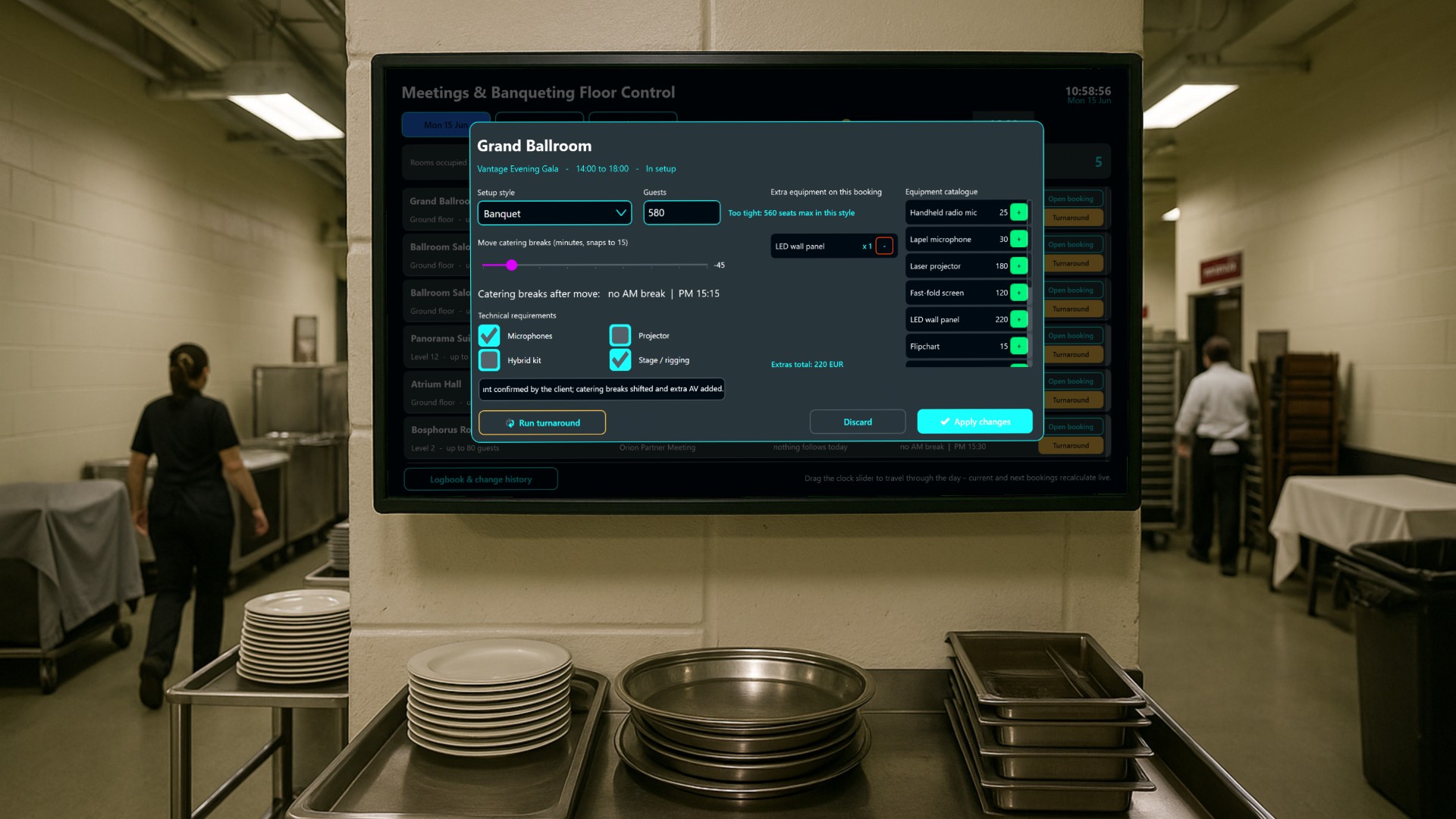
Large hotels live and die by the meetings and banqueting floor. Twelve function rooms, from an 800-seat Grand Ballroom down to a 24-seat Executive Boardroom, each turning over two or three times a day, each with its own client, seating style, catering breaks and technical rig. Missing one turnaround, forgetting that a projector was ordered, or serving coffee fifteen minutes after the speaker has finished are exactly the kind of small failures that clients remember long after the event.
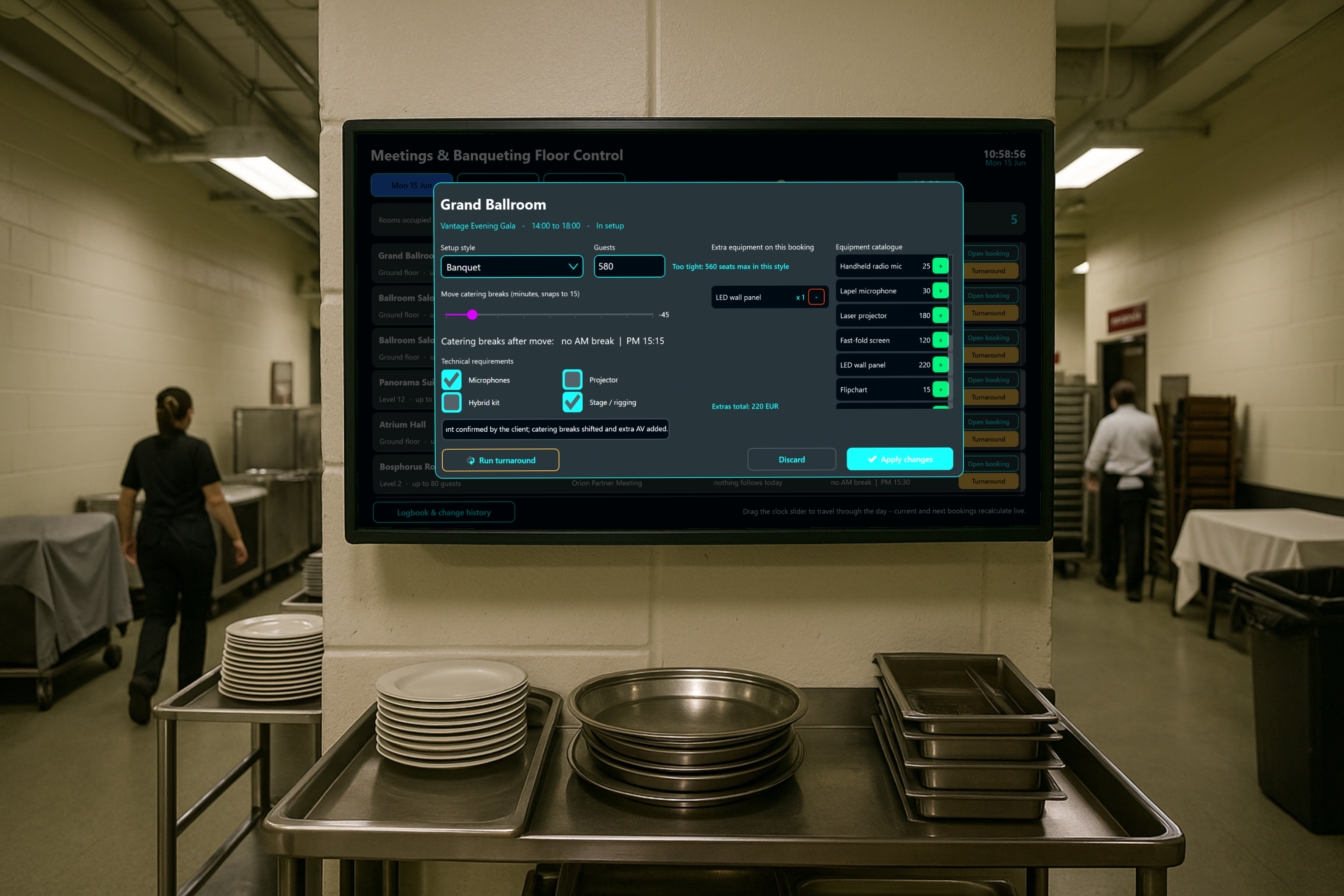
In this article we look at an application that acts as the operational nerve centre for that floor.
The screen everybody walks past
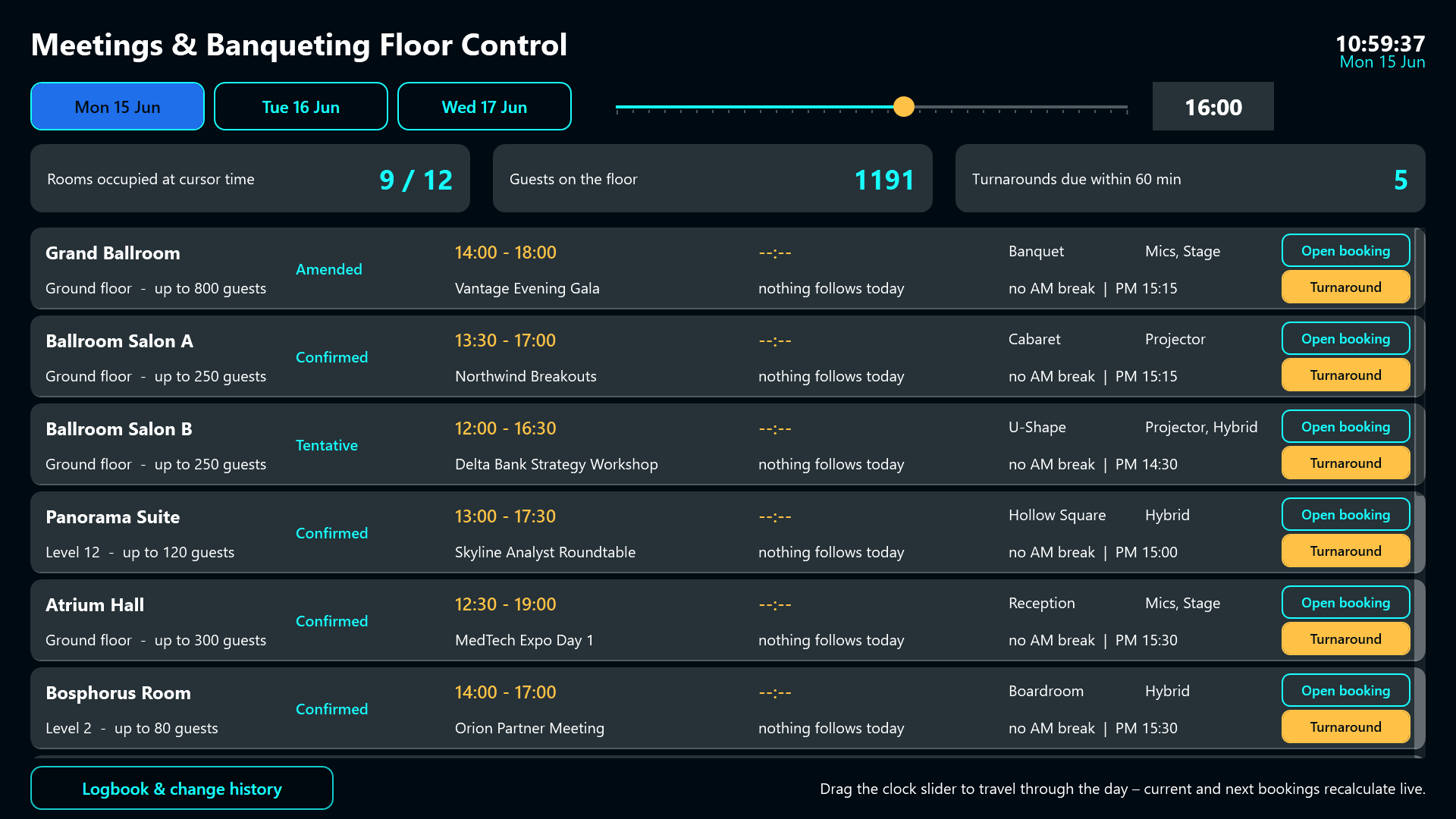
The dashboard is designed for a touch screen in the banqueting office or in the back-of-house service corridor, the spot where the duty manager, the banqueting supervisors, the AV technician and the housekeeping team all pass by during their shift. At a glance it answers the three questions that matter right now: which rooms are occupied, how many guests are on the floor, and how many rooms have to be reset within the next hour.
Everything below that headline is a working surface, not a report. Nobody has to walk back to a desktop PC to change something.
The floor board and the virtual clock
The main board lists all twelve rooms, one row each, showing the booking that is running at this very moment, the booking that comes next, the setup style, the catering break times and the technical requirements.
The distinguishing feature is the virtual floor clock. A slider along the header lets staff scrub through the operating day in half-hour steps between 07:00 and 23:00. Drag it to 15:30 and the board instantly recalculates what will be live at 15:30. That is exactly how a supervisor plans the afternoon staffing: not “what is happening now” but “what does the floor look like when the second coffee break hits”.
Three day tabs switch between Monday, Tuesday and Wednesday, so the team can look ahead at the congress that continues tomorrow without leaving the screen.
Changing a booking on the floor
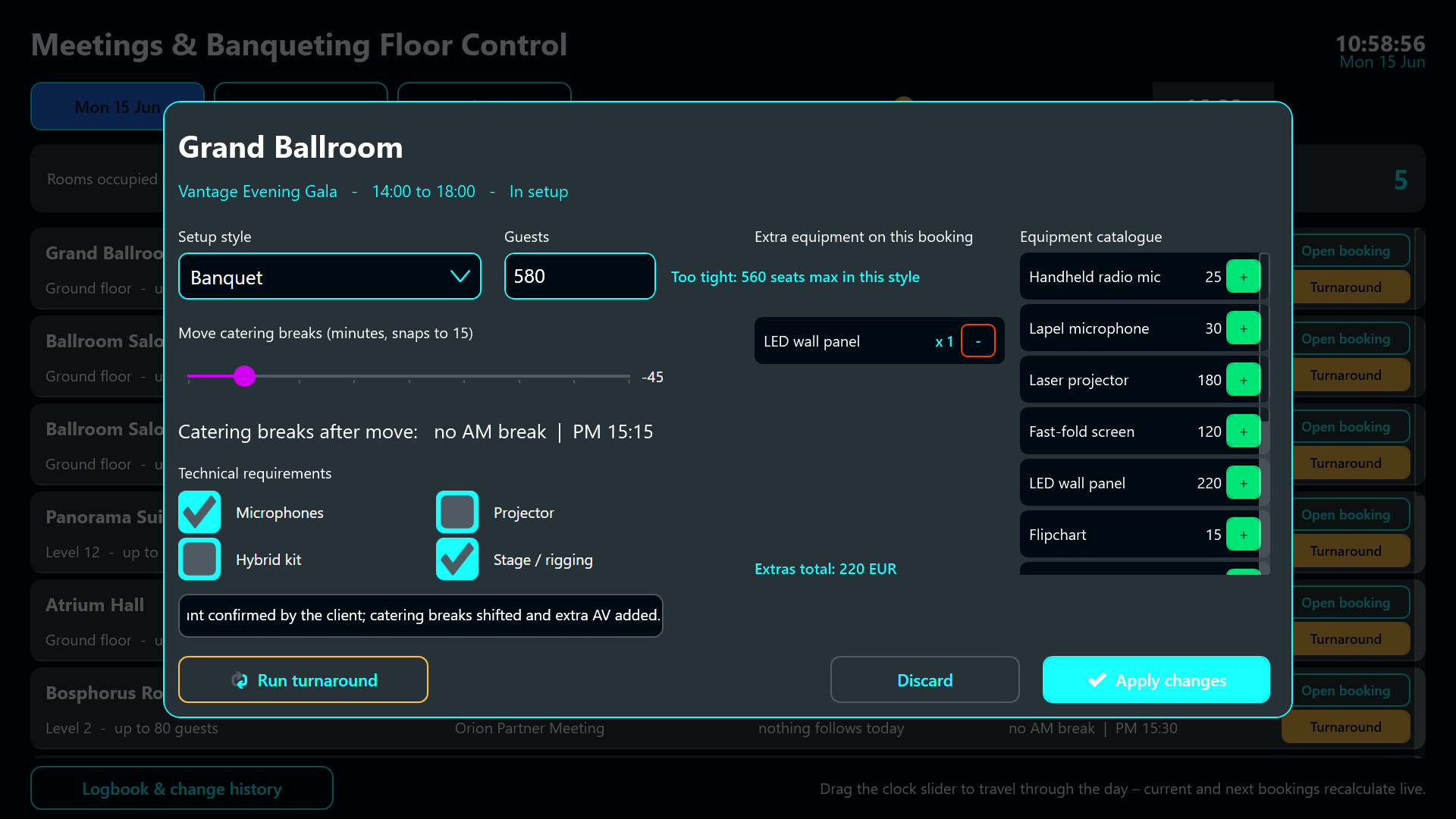
In banqueting something always changes. Staff open the booking straight from the row and a large overlay dialog appears:
- The setup style can be changed from a dropdown, and a live layout check immediately warns whether the room still holds that many people in that configuration.
- Guest numbers are typed in with numeric validation.
- A slider moves both catering breaks forwards or backwards in fifteen-minute steps, with a written preview of the new break times before anything is committed.
- Technical requirements are toggled with checkboxes.
- Extra equipment is added or removed by tapping plus and minus buttons between a catalogue of twelve rentable items and the booking’s own equipment list, with a running extras total in euros.
A free-text note captures the reason, and every change is written to an audit trail. The person who moved the break at 14:10 is never a mystery afterwards.
The turnaround wizard
The second pillar is the turnaround. When a room has to be reset between two events, staff start a guided three-phase process: clear the room, reset the layout, verify and hand over. Nine checklist items are ticked off, a phase banner highlights where the team currently is, and the target layout plus the standard reset time for that setup style are shown alongside so everyone knows what “done” looks like.
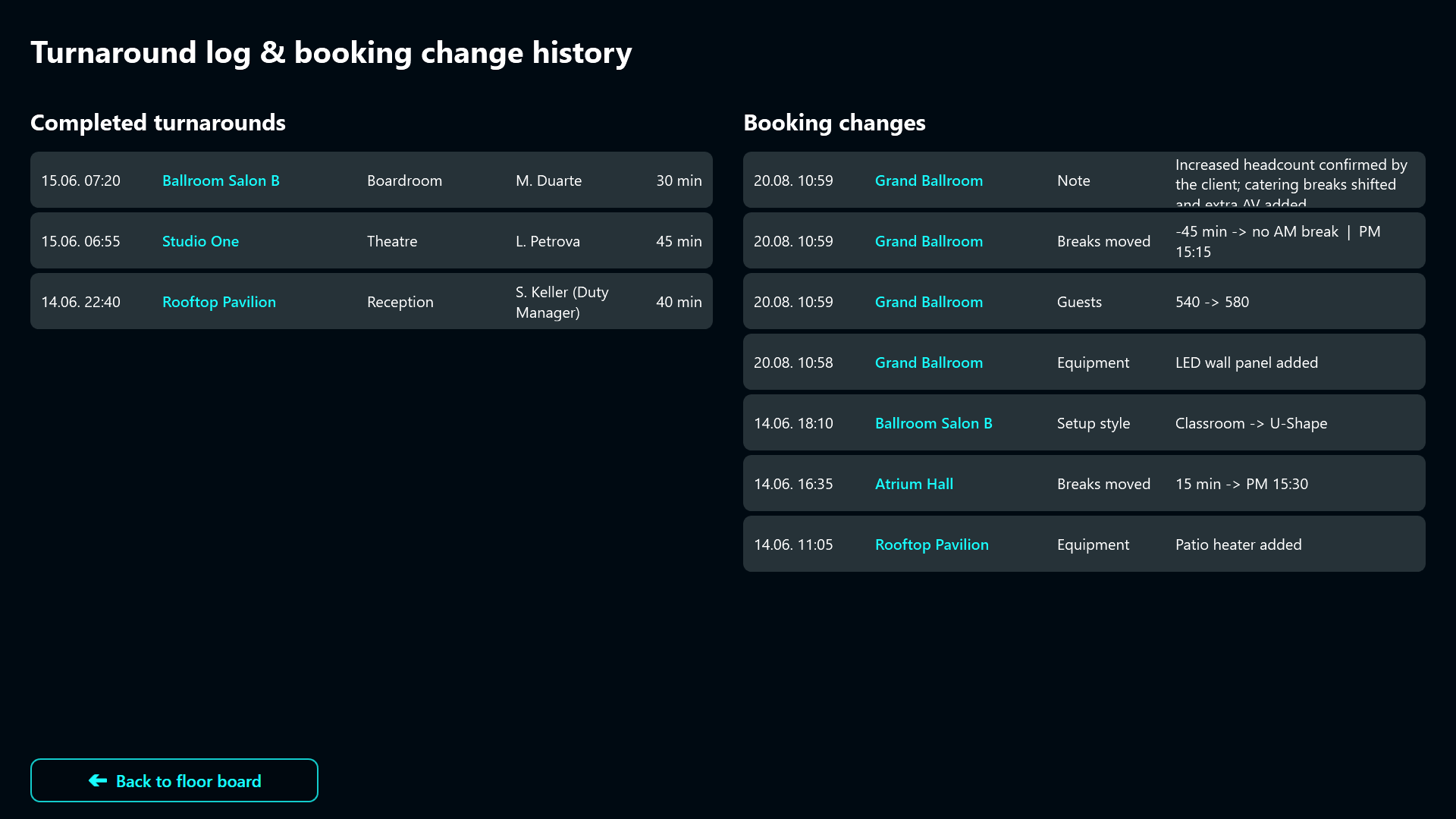
Only when the team walks the room with the duty manager and signs off is the room released back to operations. That sign-off writes a log entry with room, setup, operator and duration.
Closing the loop with the logbook
The logbook screen shows completed turnarounds next to the booking change history. Any question about who moved a break or who added the patio heaters can be answered in seconds, which matters both for the internal debrief and for the invoice discussion with the client afterwards.
Result
The sample project ships with twelve rooms across three days, so you can scrub the floor clock, open a booking, move a break and run a full turnaround without connecting a single data source. In a live installation the room and booking data would come from the hotel’s event management system, while the turnaround log and the change history stay where the floor team can reach them: on the screen they already walk past twenty times a shift.
(The German screenshots de_010.png, de_020.png and de_030.png in the same asset folder belong to the German sibling article, where they replace the three screenshots used above.)