
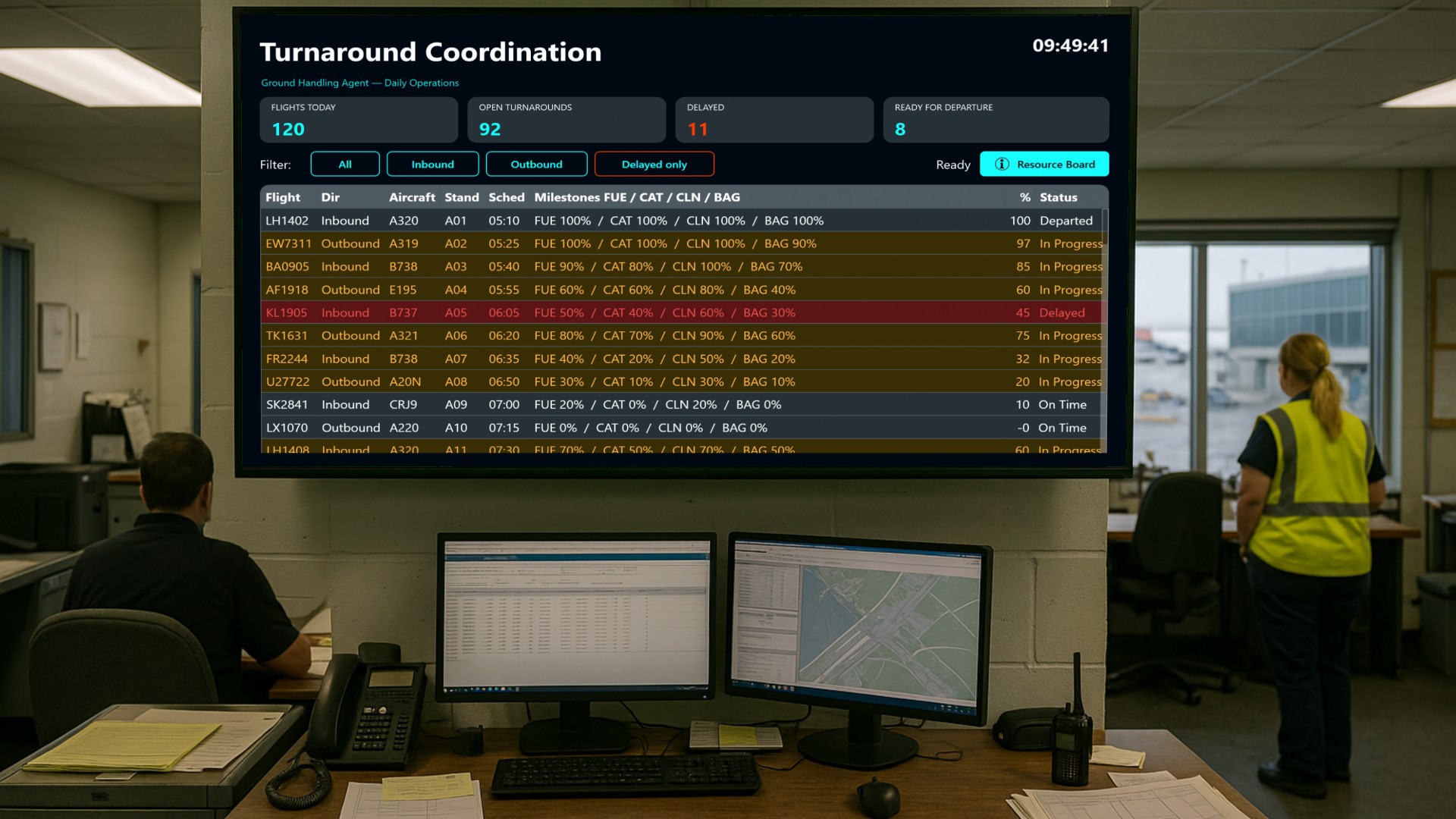
Every aircraft that touches down at an airport starts a race against the clock. Between the moment the wheels stop on the stand and the moment the pushback tug rolls up, a ground handling agent has to refuel the aircraft, restock the galleys, clean the cabin and move hundreds of bags in and out of the holds. If any one of those four activities slips, the departure slips with it - and the airline gets a delay code attached to its flight record.
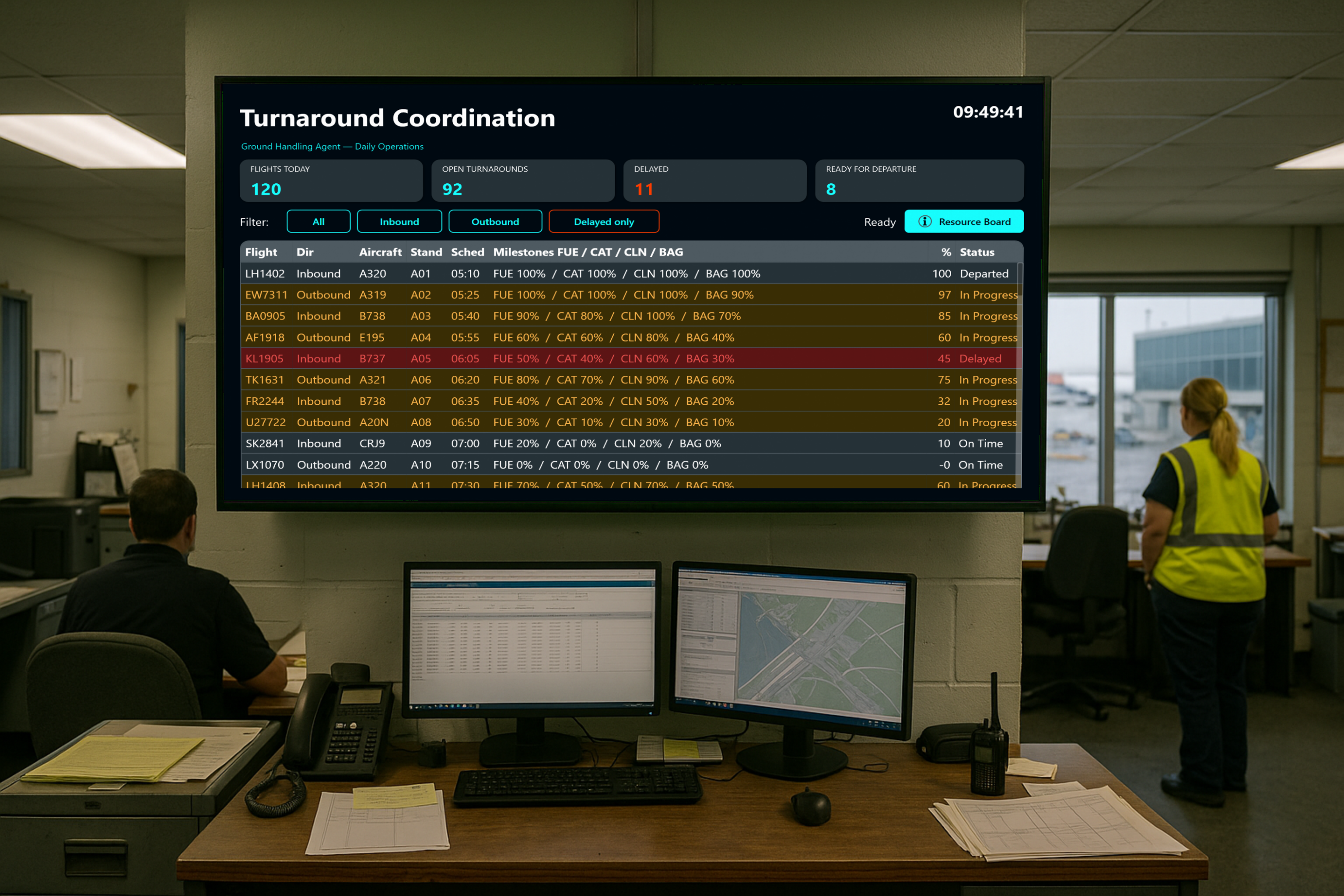
In this article we look at the control board built for exactly that job: the turnaround coordinator of a ground handling agent at a mid-sized airport running roughly eighty rotations a day.
Where the board lives
This dashboard is designed for a wall-mounted touch display in the handling agent’s operations room or ramp control office, sitting next to the stand allocation screens. Duty managers, shift leads and the coordinator on duty all see the same picture at a glance - no one has to ask what the state of stand B12 is, because it is on the wall.
The main screen
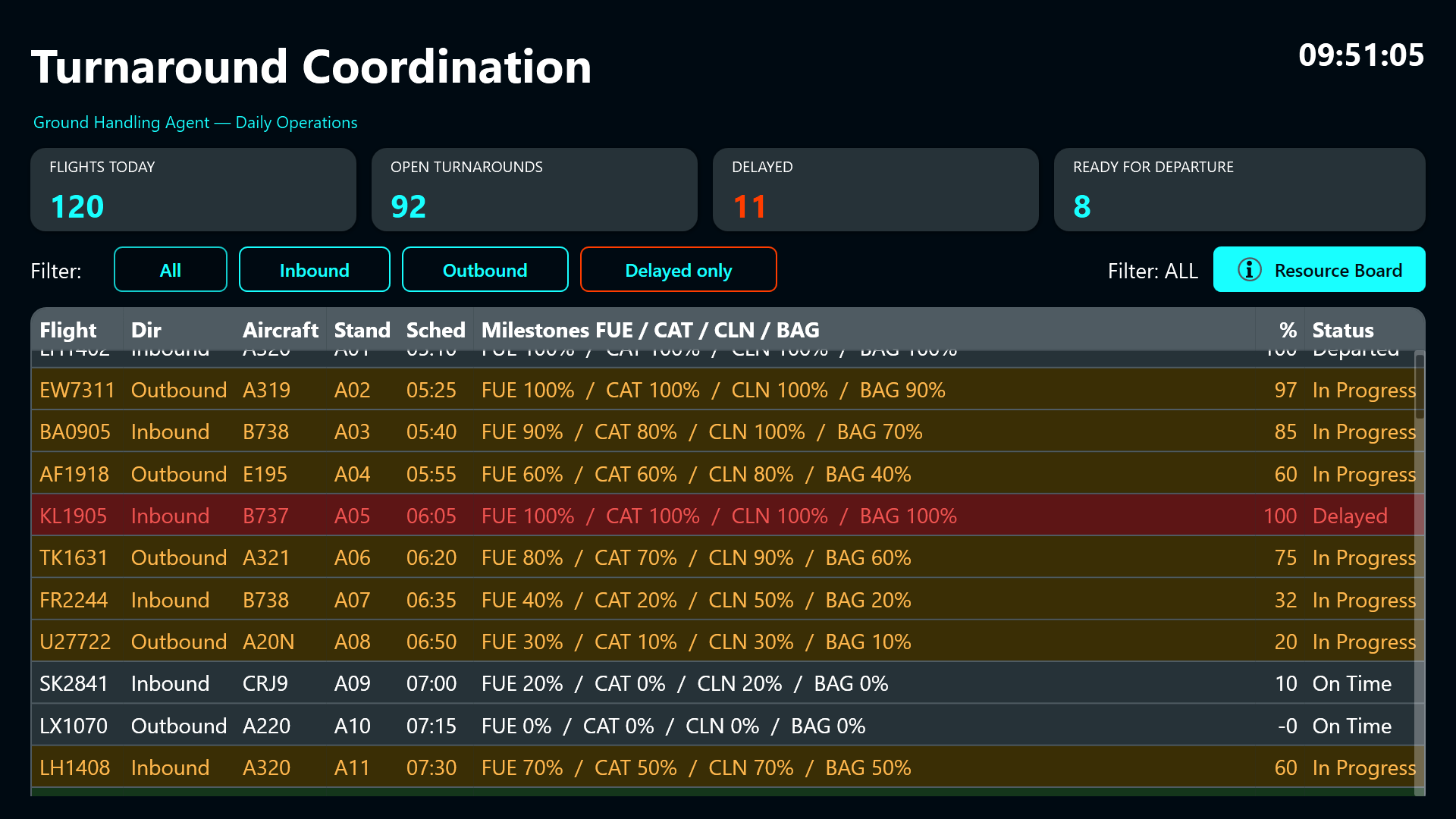
The main screen answers the two questions that matter minute by minute: which turnarounds are still open, and which ones are in trouble.
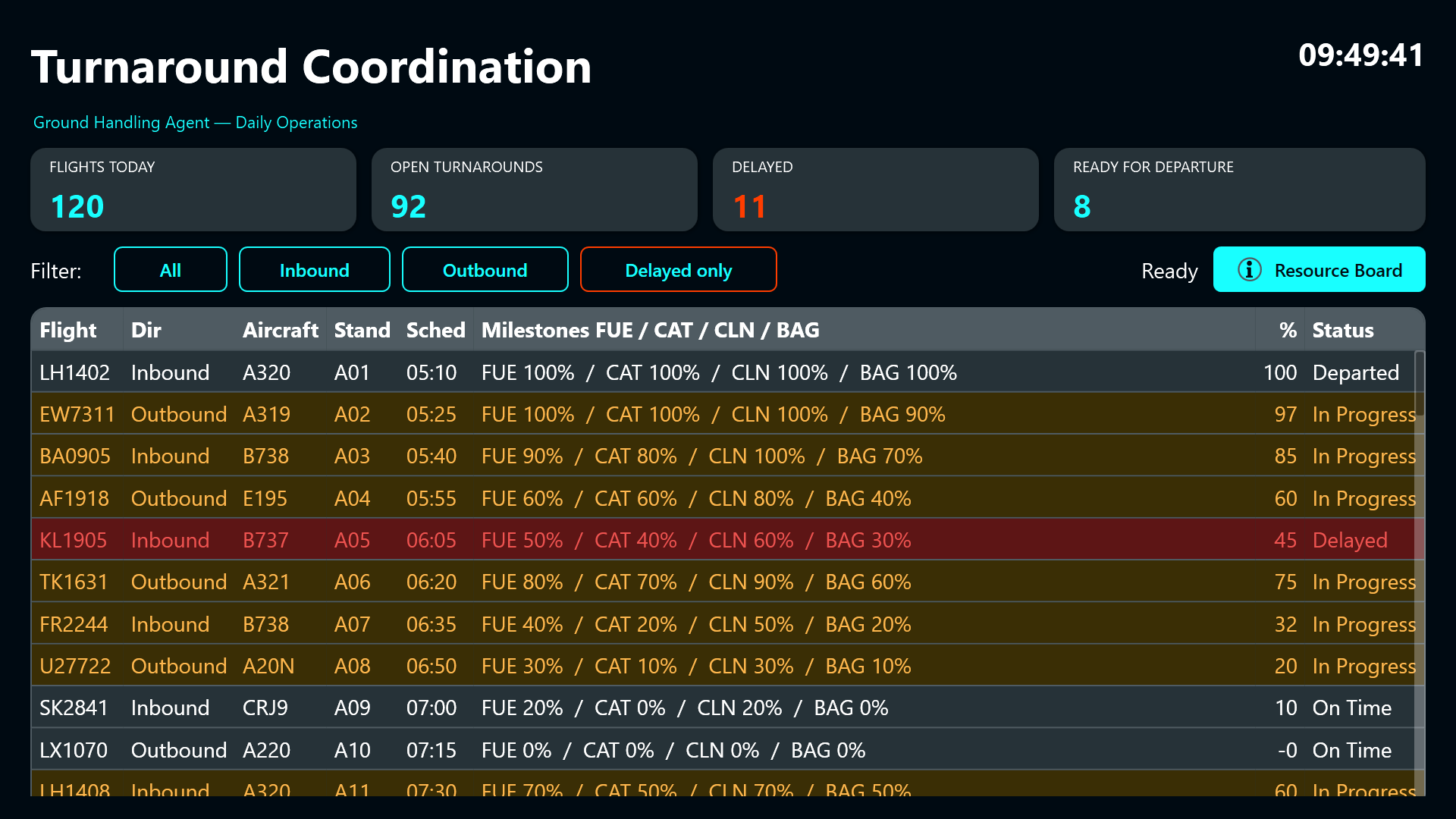
Four large KPI tiles across the top give the daily totals - flights today, open turnarounds, delayed flights and aircraft already declared ready for departure. Underneath, a full-width flight table lists every inbound and outbound rotation with its flight number, direction, aircraft type, stand and scheduled time. Then comes a compact milestone strip showing the completion percentage for fuelling, catering, cabin cleaning and baggage, an overall progress percentage and a status word.
Rows are colour coded: a delayed flight glows red, a fully prepared aircraft glows green, and everything in progress sits in amber. From across the room, the shift lead can read the state of the operation without touching anything.
Updating a turnaround
When something needs attention, the coordinator simply taps the row. A flight detail dialog slides over the board carrying the flight number in its header.
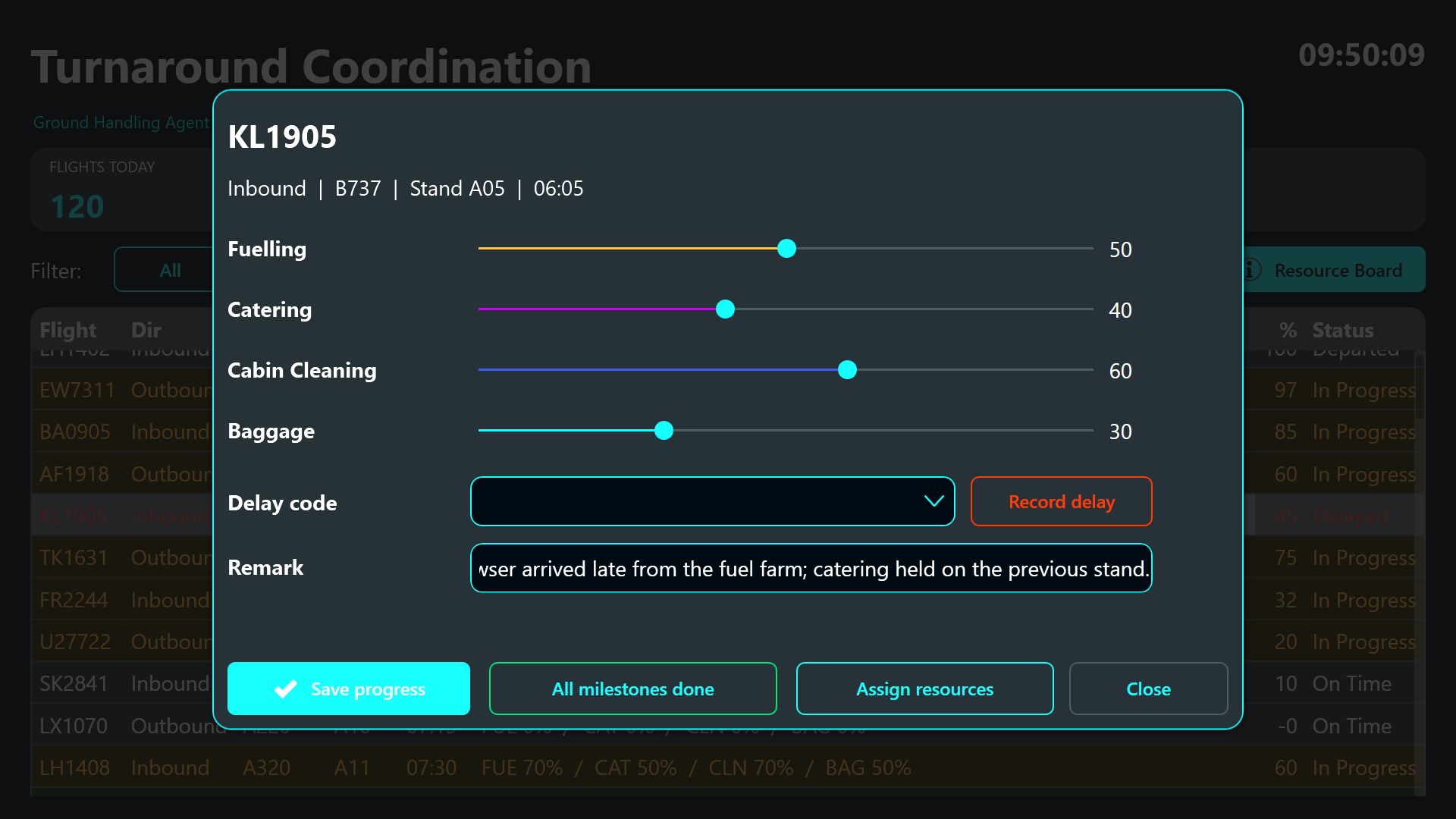
Instead of typing numbers into boxes - which nobody does reliably on a ramp - the coordinator drags four sliders for fuelling, catering, cabin cleaning and baggage. Each one snaps in ten percent steps and each is drawn in its own colour so the four workstreams stay visually distinct.
If the turnaround has gone wrong, a dropdown of IATA-style delay codes (late check-in acceptance, late or oversized baggage, fuelling delay, catering delivery late, technical defect, weather and more) plus a free text remark field lets the coordinator record exactly what happened and why. And when the aircraft is fully prepared, a shortcut button marks all four milestones complete in a single tap.
Booking crews and equipment - with clash warnings
From inside the flight dialog the coordinator can open the resource assignment dialog. This is where crews and ground support equipment are booked onto a flight.
Two dropdowns offer the ground crews (ramp and loading, cabin cleaning, fuelling, catering, baggage sorting, each with a shift window) and the equipment pool (jet bridges, ground power units, pushback tugs, belt loaders, fuel bowsers, catering hi-loaders, lavatory trucks). The moment a selection changes, the dashboard checks whether that crew or that piece of equipment is already committed to another flight in the same time slot and writes a warning into a highlighted amber banner. A table underneath shows what is already assigned to this flight.
The coordinator can either accept the warning and pick something else, or deliberately override it with the Assign anyway button. That is exactly how it works in real ramp operations, where a supervisor sometimes has to double-book knowingly and simply needs the system to keep a record of it rather than block the decision.
The Resource Board
A second screen gives the wider picture for planning conversations.
It shows the full crew roster with qualifications and shifts, the complete equipment pool with categories and home piers, all current assignments across the day, and the running delay log with times, flights, codes and remarks. This is the screen the duty manager pulls up when the question is not “what is happening to this aircraft” but “do we have enough belt loaders on Pier A this afternoon”.
Result
The board turns a turnaround from a series of radio calls into a shared, visible state. Everyone in the operations room knows which aircraft are on track, which ones are slipping and why, and which crews and vehicles are already committed. Delay codes get captured at the moment they happen instead of being reconstructed hours later from memory, and double-booked equipment shows up before a belt loader is missing on the ramp rather than after.
The full project is available as a download in the sidebar, including sample data for a complete day of eighty flights - open it in Peakboard Designer and click through the turnarounds yourself.