
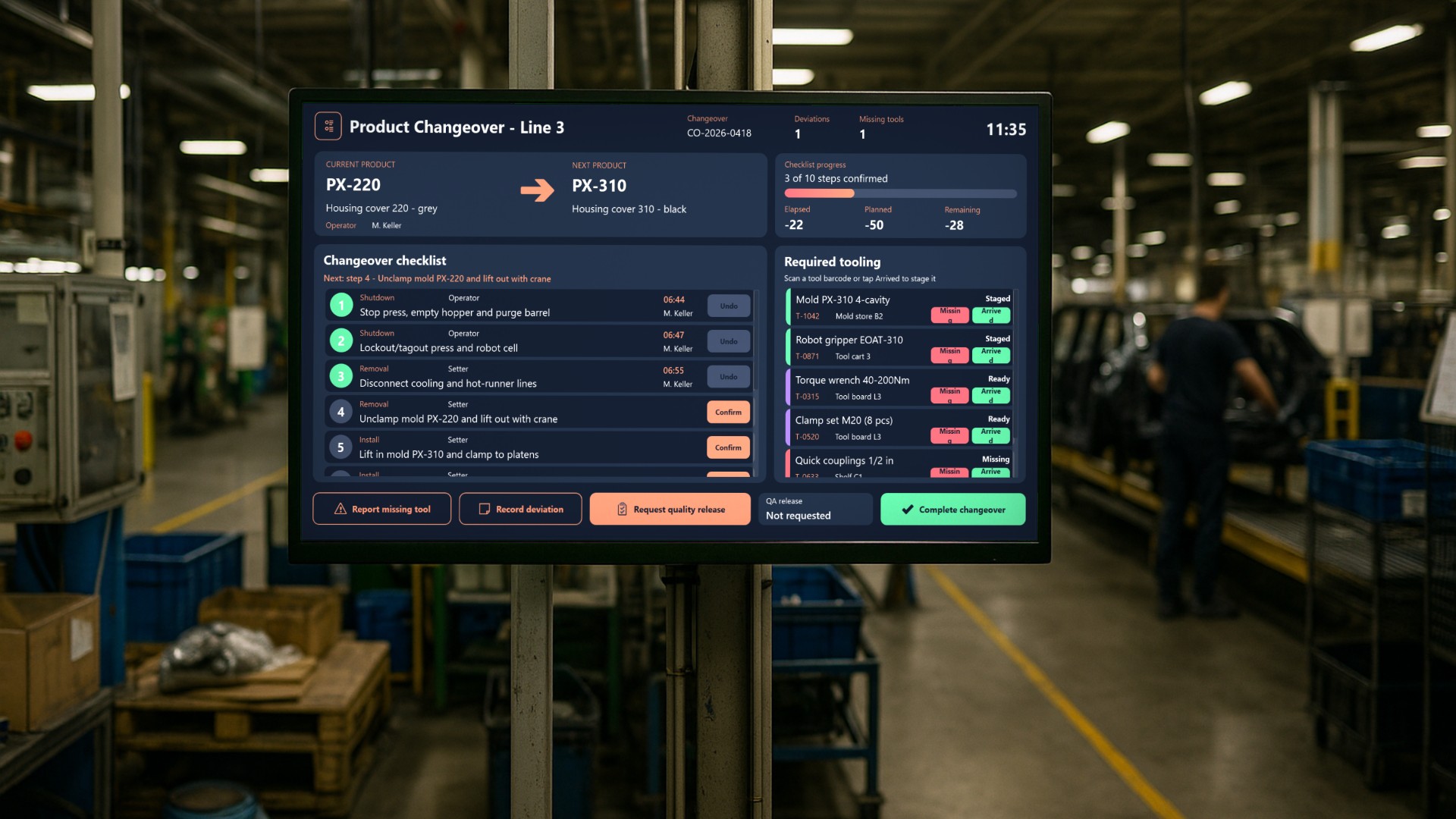
On an injection molding line, a changeover is one of the most expensive moments in a shift. The press stops and the mold comes out. A different mold goes in, and then material, program, robot gripper and labels all have to switch to the next product. Every minute of standstill costs money. Small problems add up quickly: a missing coupling, a crane that is busy elsewhere, or trial shots that fail inspection can turn a planned 50-minute changeover into more than an hour of downtime. In this article we look at an application that guides operators through the whole changeover. Nothing gets skipped, every disruption is recorded with a reason, and the line restarts only after quality has signed off.
Who uses it and where
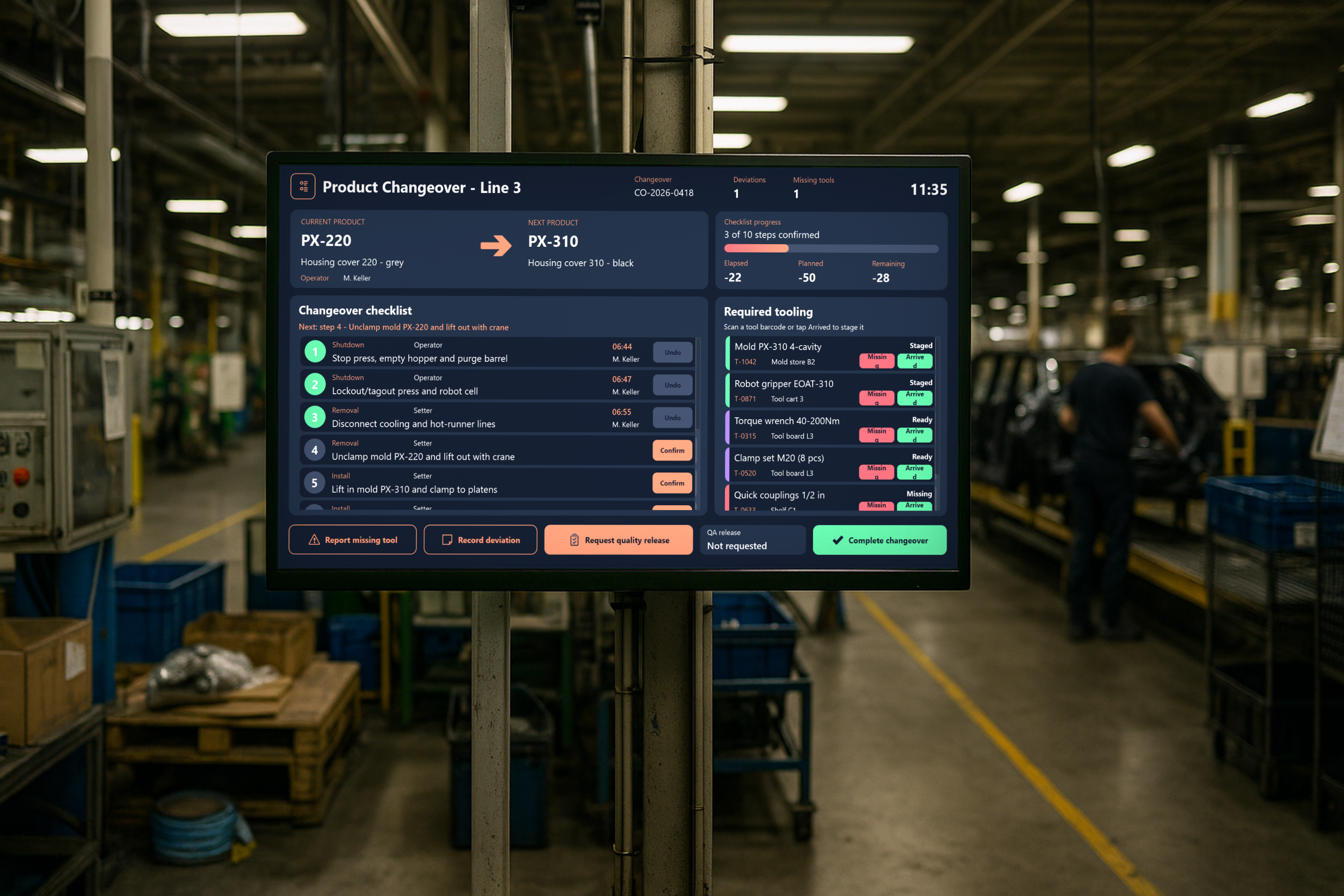
The application runs on a 1920x1080 touch panel mounted at the Line 3 press, within reach of the setter’s workstation. A barcode scanner is connected as a keyboard-wedge device, so tools can be scanned at the line as soon as they arrive.
Three groups work with the screen:
- Machine operators and setters follow the checklist and confirm each step themselves.
- Shift leads and QA inspectors receive release requests and review deviation reasons.
- Production and continuous-improvement engineers use the changeover history and the overrun analysis to find recurring losses, for example in SMED projects.
The changeover at a glance
The main screen shows everyone at the line where the changeover stands.
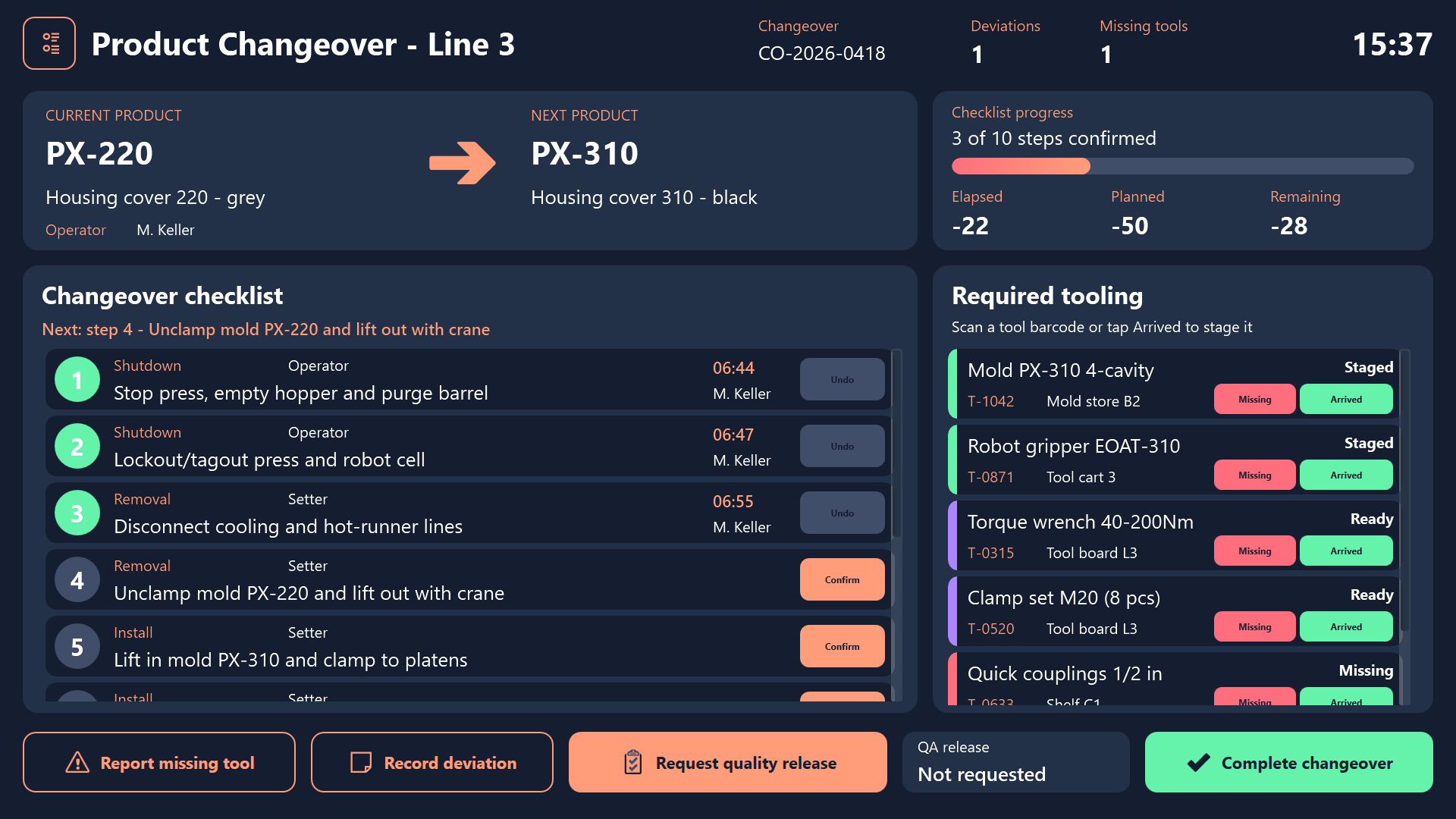
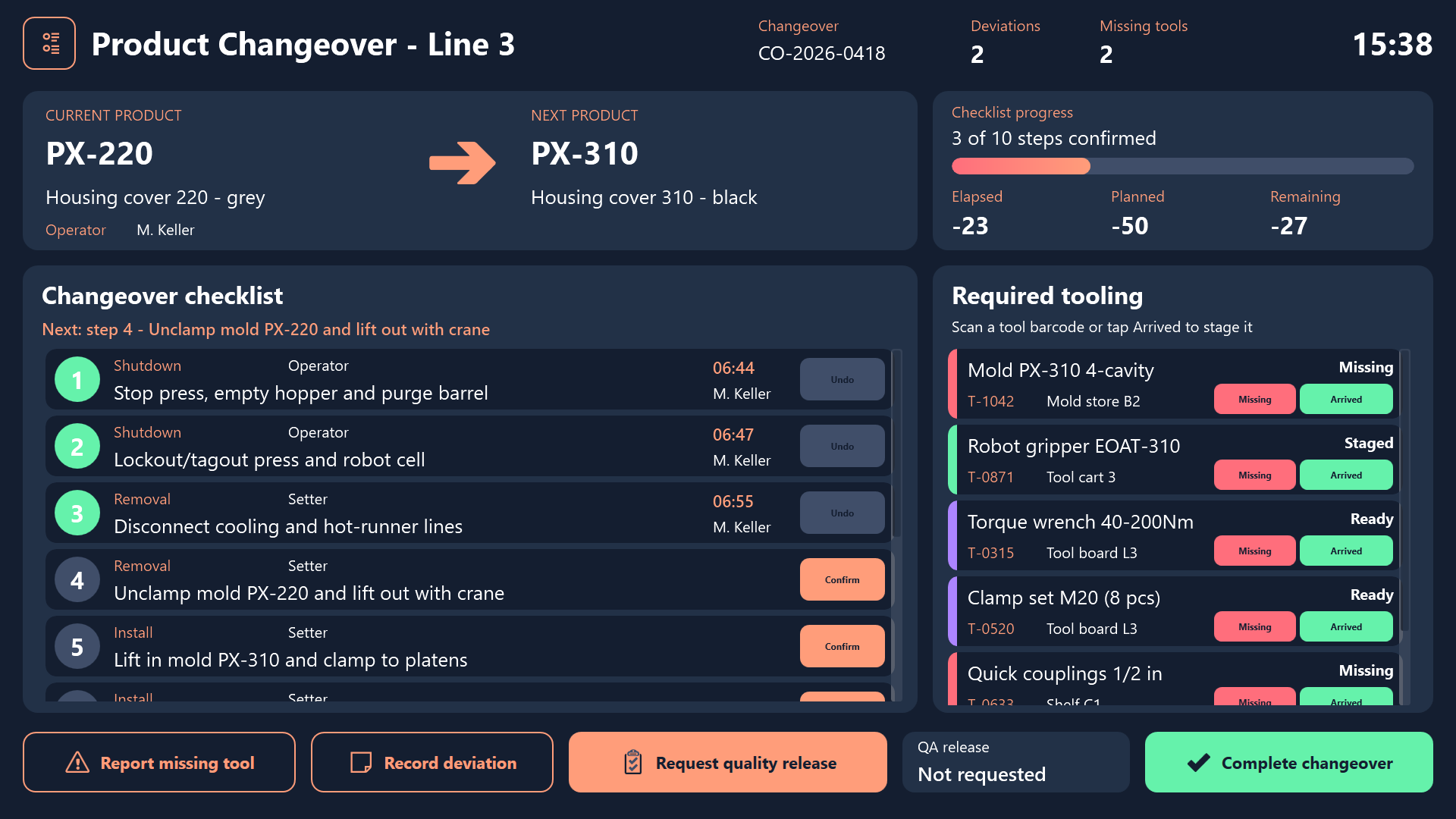
- Product transition banner: The current product (
PX-220, “Housing cover 220 - grey”) and the next product (PX-310, “Housing cover 310 - black”) appear side by side with an arrow between them. Nobody has to guess which mold, material or label set comes next. - Live timing: Elapsed, planned and remaining minutes are always visible. Once the changeover runs over plan, the remaining time turns red, so everyone can see the overrun.
- Sequential checklist: Ten steps follow the safety order of the process. They are grouped into the phases Shutdown, Removal, Install, Material, Setup and Trial, starting with purging the barrel and lockout/tagout, continuing through the robot gripper swap, and ending with the five trial shots. Each step shows its owner (Operator or Setter), when it was confirmed and by whom.
- Required tooling: Each tool shows its storage location and a colored status bar. Purple means Ready, green means Staged and red means Missing. In the sample data, the quick couplings from shelf C1 have already been reported missing.
- Header counters: The header counts deviations and missing tools. The missing-tool counter turns red as soon as anything is outstanding.
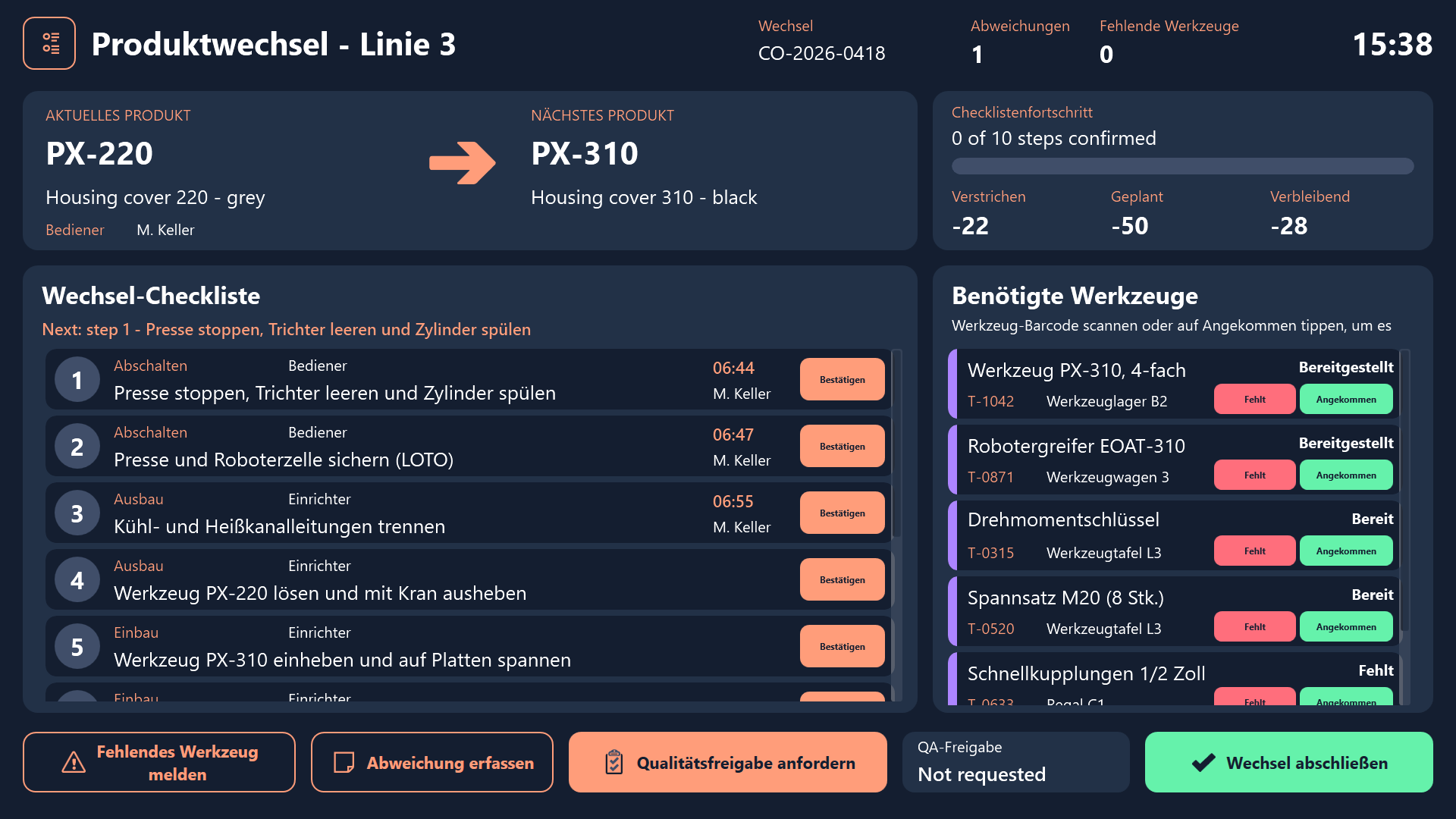
The same screen in the German version of the application:
Working through the changeover
Confirming steps in the right order
The operator taps Confirm on each checklist row. Steps can’t be skipped. If someone tries to confirm step 5 before step 4, the screen shows a warning about the safety sequence. Undo reopens a step. If a quality release has already been requested, reopening a step cancels that request, so a release can never apply to a process that changed afterwards.
Staging tools as they arrive
When a tool reaches the line, the operator scans its barcode or taps Arrived. If a missing-tool report is open for that tool, it is closed automatically, and the counter in the header goes down.
Reporting problems the moment they happen
Disruptions are recorded in dialogs right at the press, while the details are still fresh.
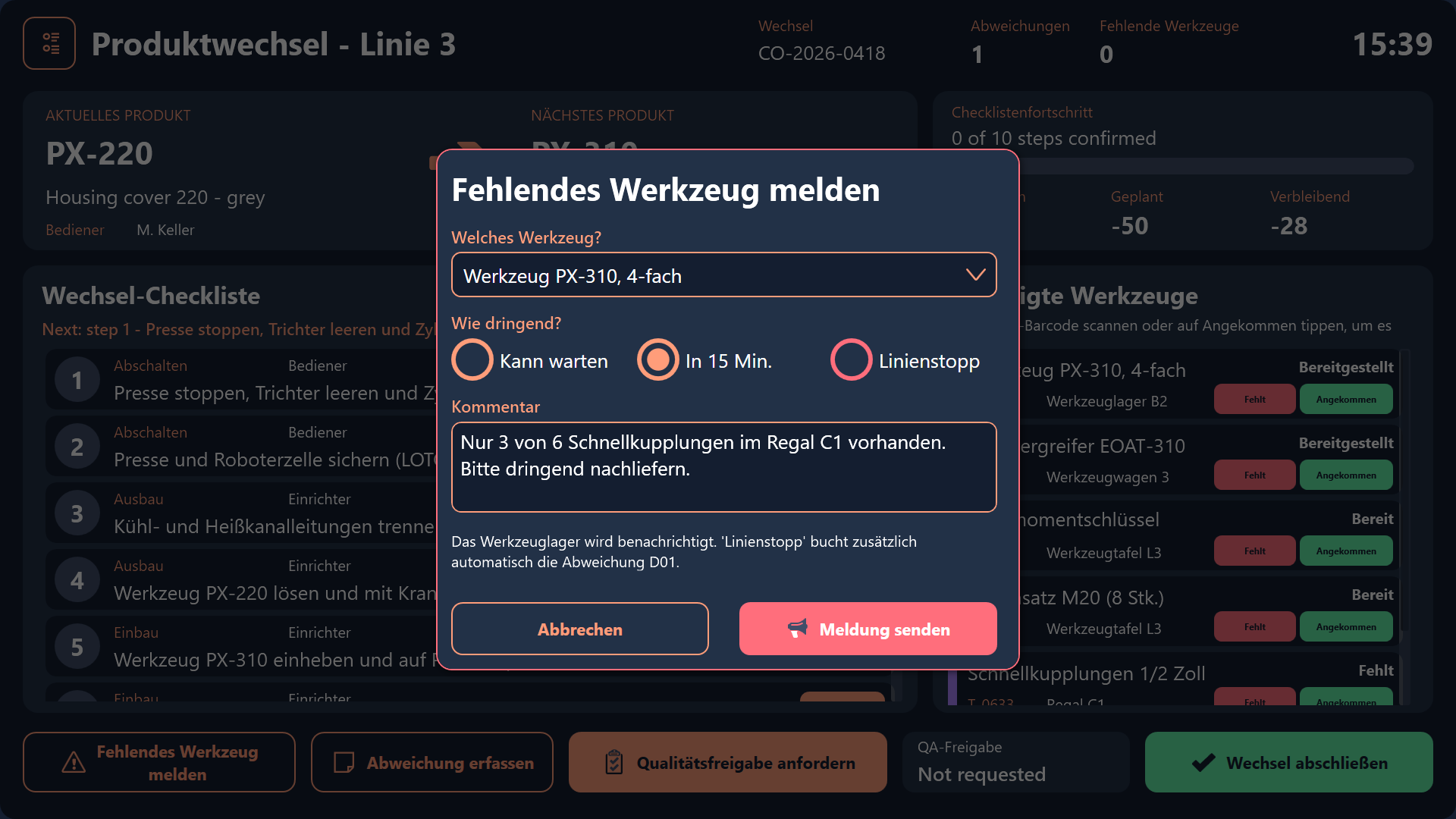
- Report a missing tool: The operator picks the tool, chooses an urgency (
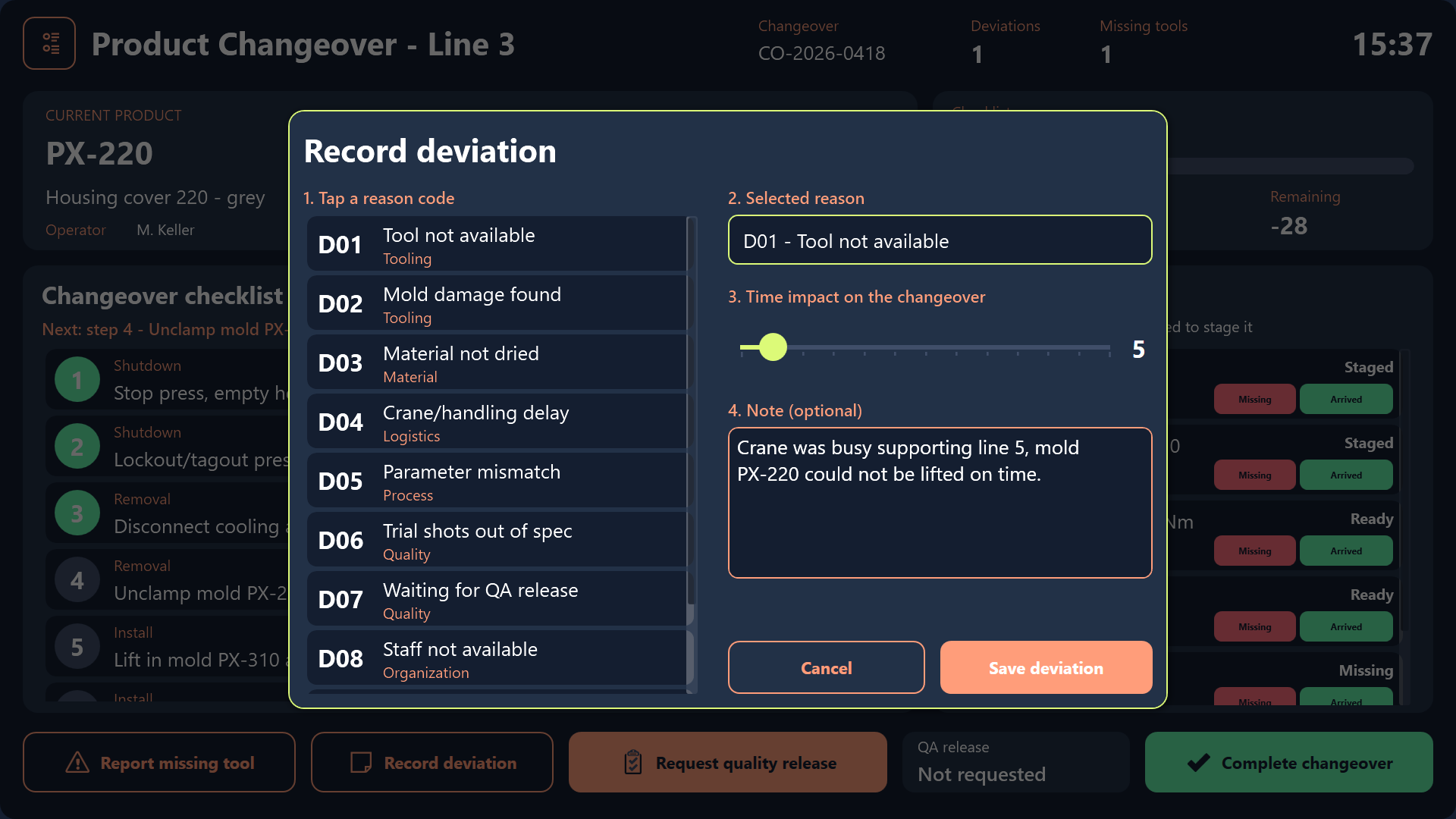
Can wait,In 15 minorLine stop) and adds a comment. A Line stop report also books deviationD01and sounds a buzzer, so the problem gets attention immediately. - Record a deviation: The operator taps a reason code from a list of tiles, sets the time impact with a slider and can add a note. This replaces vague notes at the end of the shift with reason codes that can be analyzed later.
Requesting quality release before restart
Before the press goes back into series production, the operator ticks three restart checks: first parts, line clearance, and labels and packaging. Then they pick a QA inspector. The request is only sent once everything is complete. A few seconds later the approval comes back with a confirmation sound. In the sample project, the approval is simulated.

Completing the changeover
After release, the operator completes the changeover. It is archived to the history, and the next product from the queue moves up. The screen is then ready for the next changeover.
History, tooling and downtime reasons
A slide-in menu leads to three supporting screens:
- Changeover history lists the fifteen most recent changeovers with KPIs, so planned and actual durations can be compared across shifts.
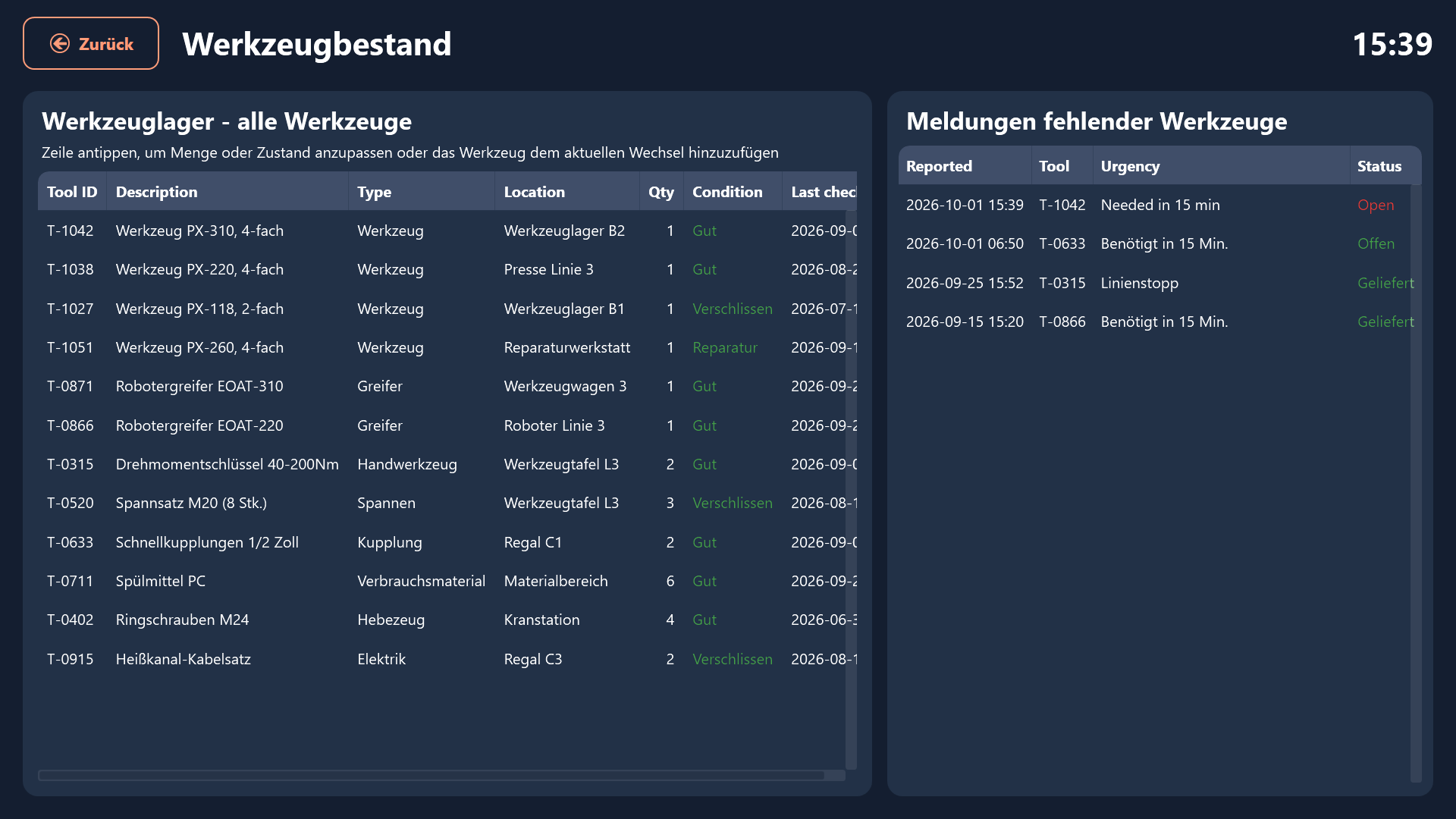
- Tooling inventory lets users adjust tool quantity and condition and add tools to the current changeover.
- Downtime reasons lets users add new reason codes and shows overrun minutes broken down by cause. This is where engineers see which causes come up again and again.
The German version of the supporting screens:
Result
The changeover guide makes a high-stakes, error-prone process predictable. Operators get a clear sequence they can’t skip. The whole line can see the timing and spot an overrun right away. Missing tools and deviations are recorded with reason codes at the moment they happen instead of being reconstructed later. The quality release step makes sure the press only restarts once QA has signed off. Over time, the history and the overrun analysis show where minutes are being lost, which gives SMED and continuous-improvement work real data to start from.