
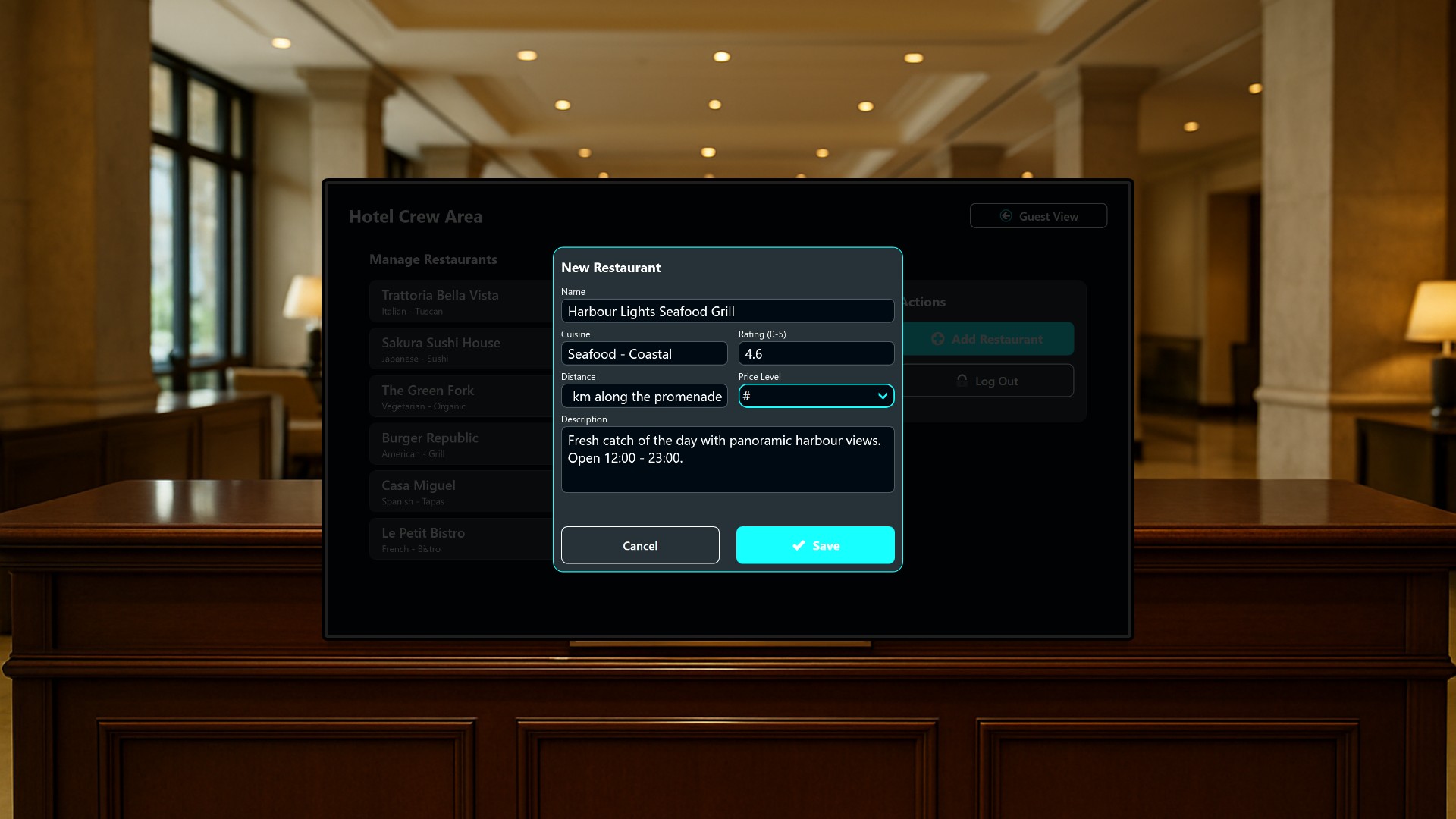
Every hotel lobby seems to have one: a printed sheet of paper taped to the wall or slipped into a plastic stand, listing the best restaurants in the neighborhood. It looked great the day it was printed, but a year later half the places have changed their opening hours, one has closed, and the newest gem in town is not on it at all. Nobody wants to reprint it, so it quietly grows stale.
In this article we replace that piece of paper with a live digital board that the hotel crew can keep current in seconds, without any IT support, printing, or laminating.
Two audiences, one screen
The application is built for two very different audiences on a single 1920x1080 screen, typically a touch display mounted in the lobby, by the elevators, or near reception. Guests get a polished dining guide, and staff get a discreet way in to keep it up to date.
Because everything runs locally with realistic sample data already loaded, the board works immediately out of the box and updates instantly the moment a staff member makes a change.
The guest view
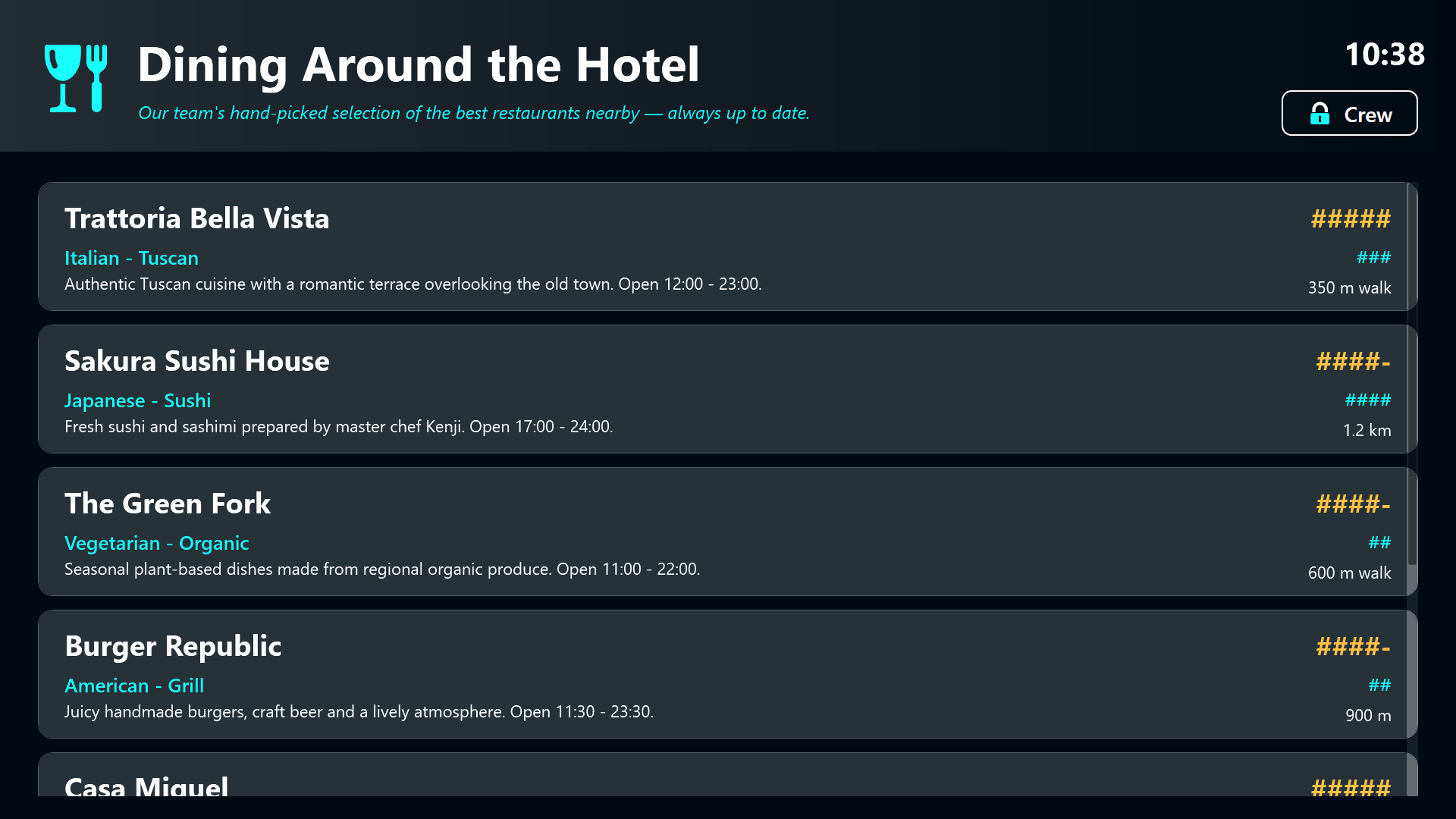
Hotel guests see a clean, welcoming “Dining Around the Hotel” board. It shows the reception team’s hand-picked restaurant recommendations, each with a name, cuisine type, star rating, price level, walking distance, and a short description including opening hours. A guest simply reads it, or scrolls through the list on a touch screen, to decide where to eat tonight.
The header carries the hotel’s culinary branding and a live clock, so the board always feels current and never looks like the yellowing printout it replaced.
The crew back-office
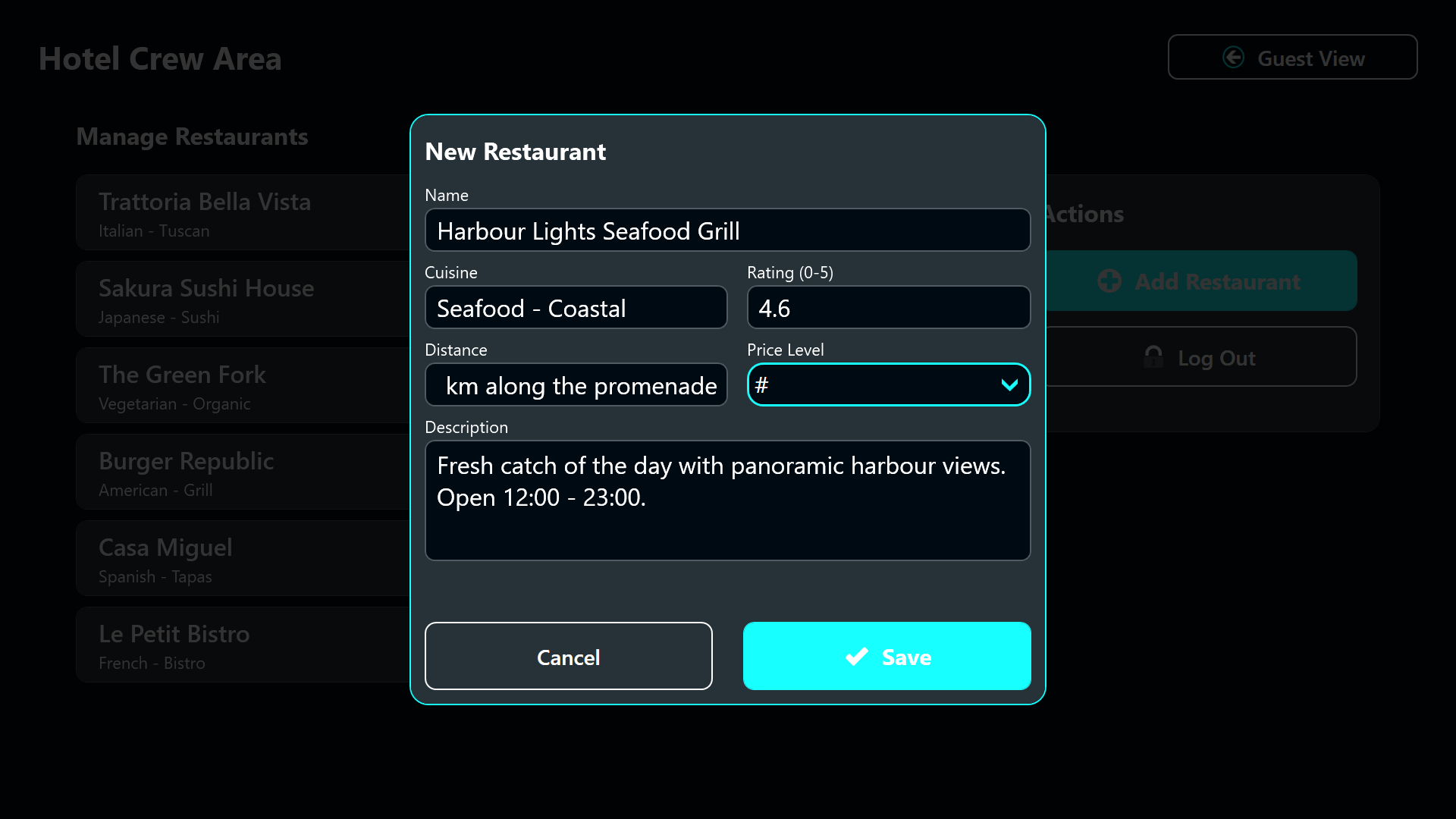
Hotel crew members reach a protected back-office area through a discreet Crew button tucked into the corner. After entering a 4-digit PIN on an on-screen keypad, staff can manage the recommendation list directly on the same display.
From here they review every entry, delete restaurants that have closed or fallen out of favor, and add new discoveries through a guided form with fields for name, cuisine, rating, walking distance, price level, and a description. The whole flow is designed so that any receptionist can operate it between check-ins, no training or IT ticket required.
Why it works
The magic here is not a fancy feature list, it is the removal of friction. The reason the paper list goes stale is that updating it is a chore: someone has to edit a document, find a printer, cut it to size, and swap it into the stand. This project collapses all of that into a few taps on a screen that is already hanging on the wall.
- Always current - a closed restaurant is gone the moment a staff member deletes it, and a new favorite appears instantly.
- Self-service - no marketing department, no external agency, no print shop. The people who talk to guests every day own the content.
- Guest-friendly - the front board stays clean and branded, while all the editing lives safely behind a PIN.
Result
Instead of a curling sheet of paper that everyone has learned to ignore, guests get an accurate, attractive, and up-to-date dining guide, and the hotel crew gets a tool they can actually keep current. It is a small change with an outsized effect on the first impression a hotel makes in its lobby, and it pays for itself the first time a guest finds the perfect dinner spot just around the corner.