
During a prolonged heat wave, a household with a rooftop photovoltaic installation faces a daily balancing act: the sun delivers a flood of free energy at midday, the air conditioning and other appliances draw heavily, and the home battery can only store so much. Getting the timing right - charging the battery, running heavy appliances when the sun is strongest, and deciding whether surplus power should be banked or sold back to the grid - turns a passive solar setup into an actively managed micro power plant. In this article we look at a suite of two complementary Peakboard apps that give the family exactly that control.
The problem: free energy, but only at the right moment
Solar power is only “free” if you actually use it when it arrives. A panel array peaks around midday, but that is often exactly when nobody is home to run the dishwasher or charge the car. Meanwhile the air conditioning hammers the grid in the late afternoon, when the panels have already faded. The home battery sits in the middle, and every decision - charge it, discharge it, or sell to the grid - changes the math for the rest of the day.
The household needs two things: a clear, always-visible picture of what is happening right now, and a simple way to plan when the heavy loads should run. That is exactly the split between the two apps.
The Solar Home Dashboard
The Solar Home Dashboard is a wall-mounted, always-on display, ideally placed in a hallway, kitchen, or utility area where everyone passes by. At a glance it answers the questions the household cares about all day: How much power are the panels generating right now? How much have we harvested today, and are we on track to hit our target? How full is the battery? How much is the house drawing, and is power flowing to or from the grid?
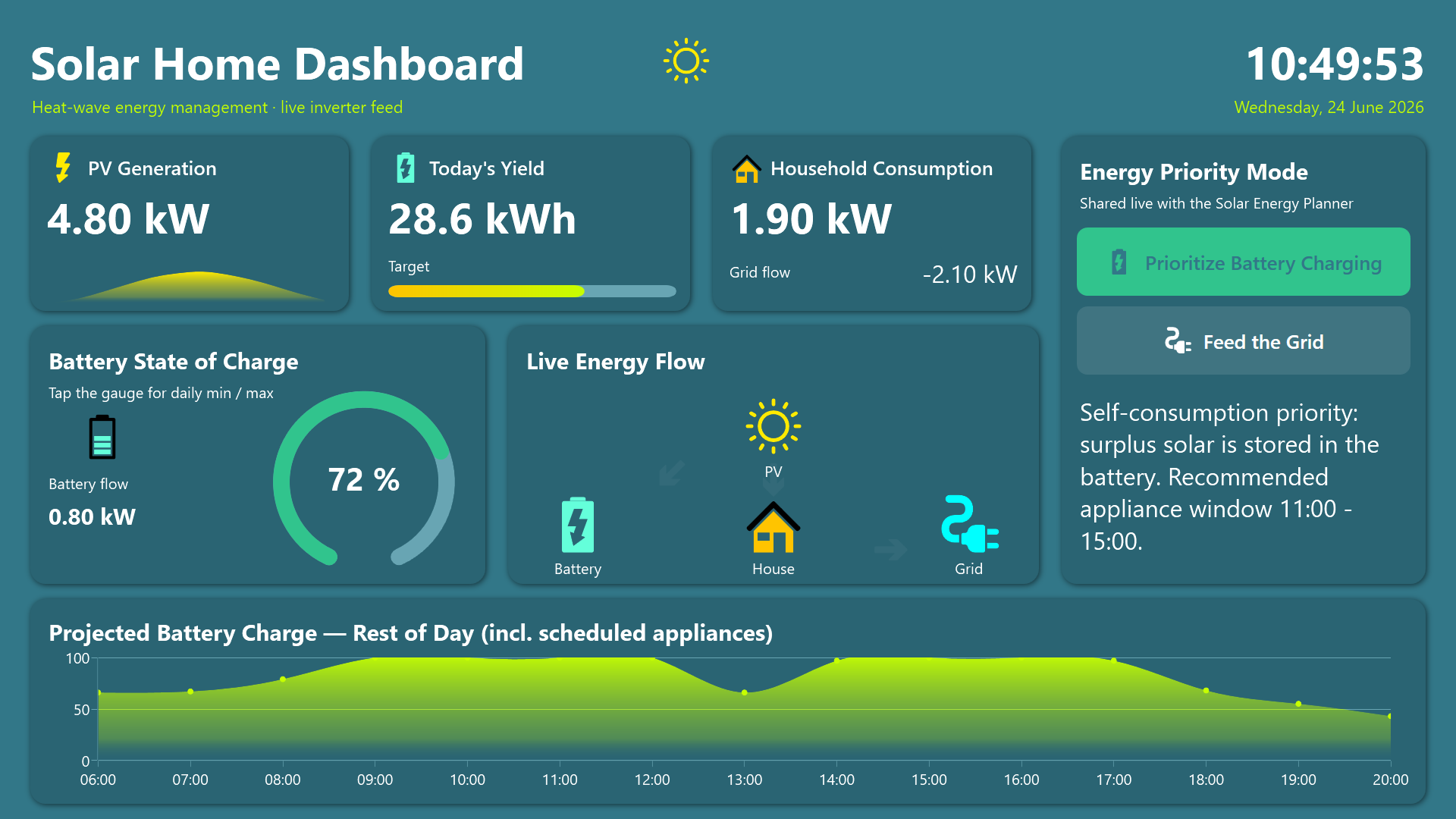
A large animated state-of-charge gauge anchors the screen, surrounded by KPI cards and a live energy-flow diagram with directional arrows showing how electricity moves between the sun, the battery, the house, and the grid. A projection chart forecasts the battery curve for the rest of the day, factoring in the appliances that have been scheduled in the companion planner.
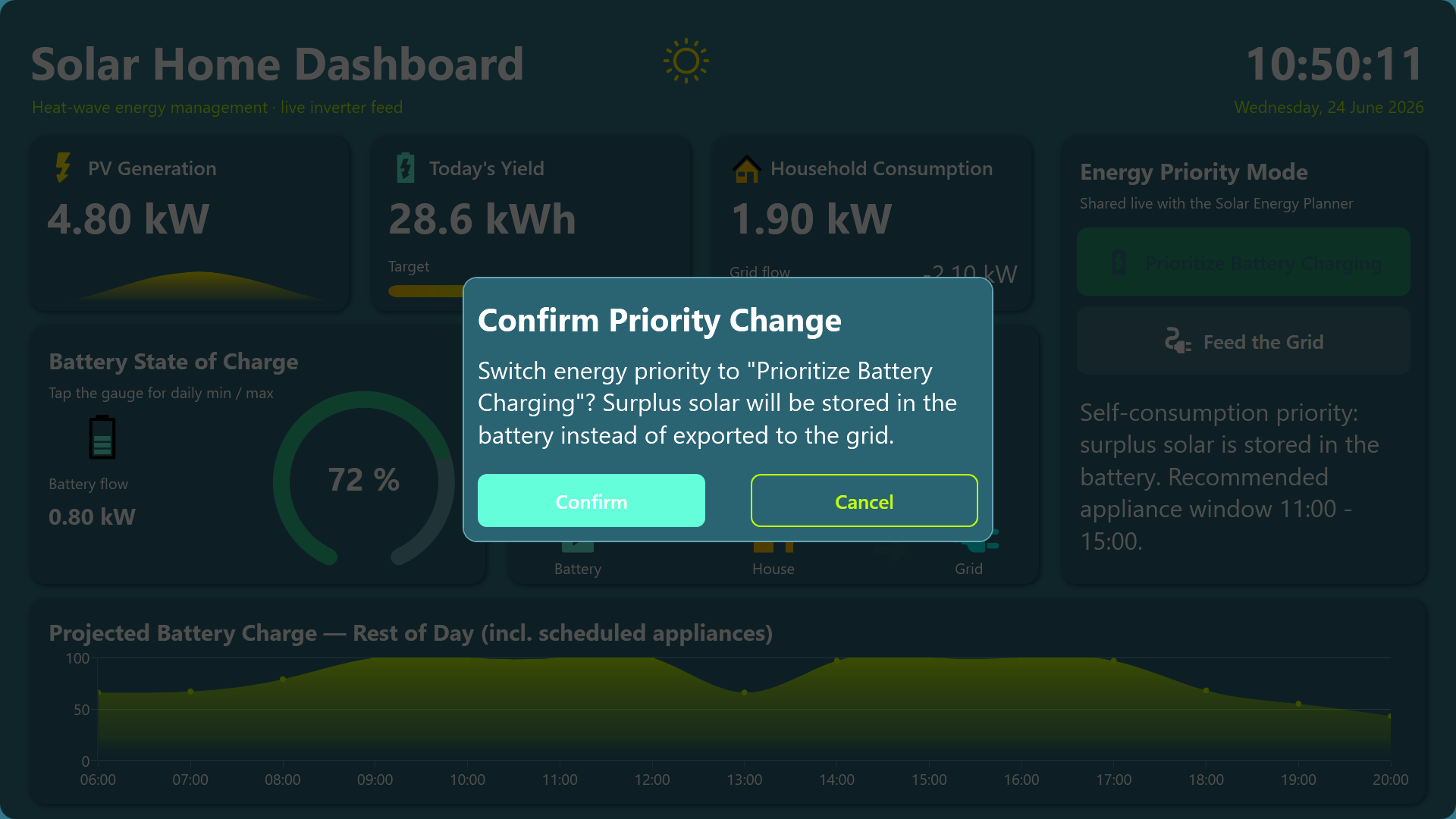
The single most important interaction is the energy priority toggle: with a tap the user chooses whether surplus solar should top up the battery or be fed into the grid. The change is confirmed through a dialog, so the decision is always deliberate rather than accidental.
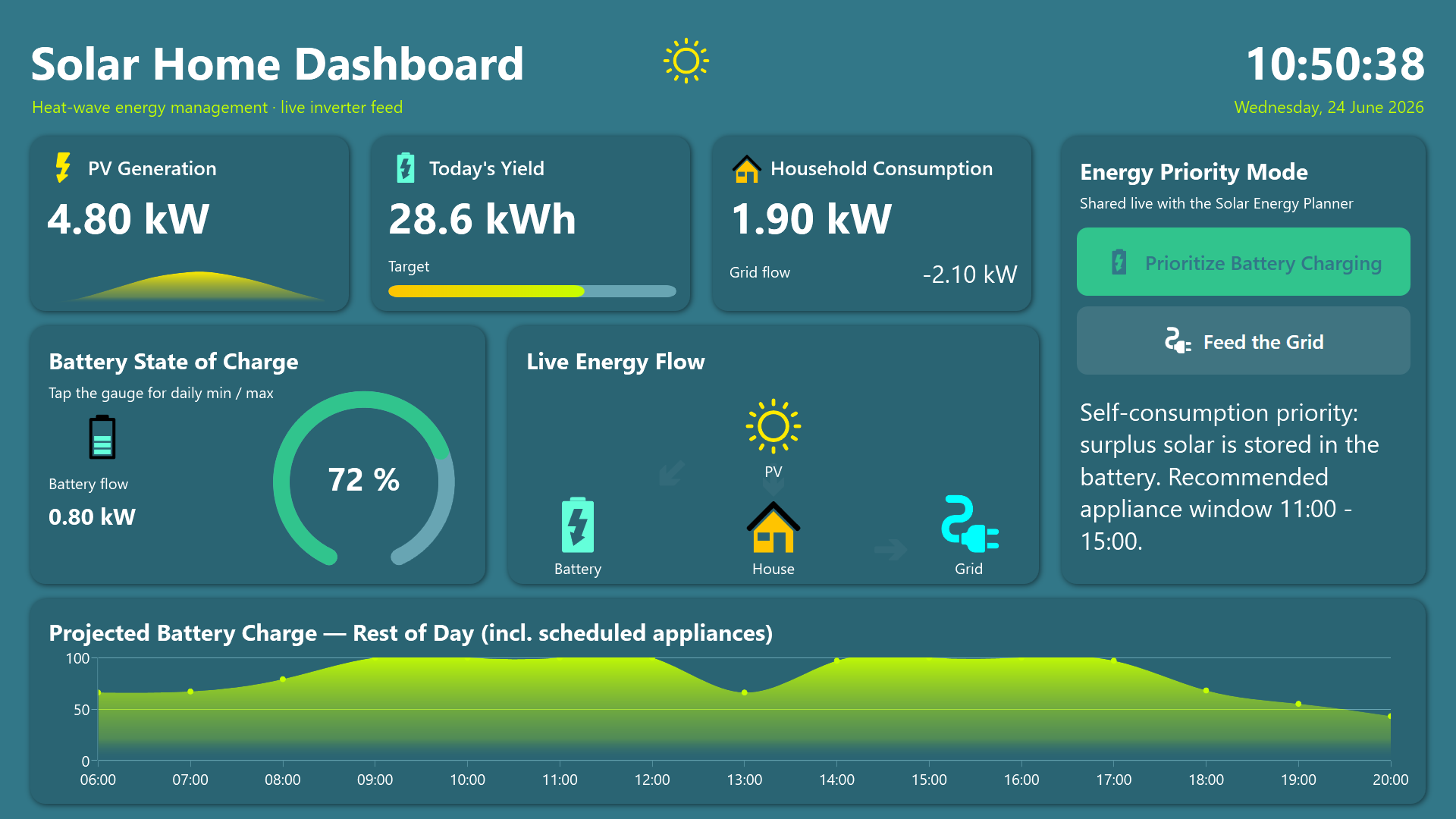
Tapping the battery gauge opens a detail popup with the day’s minimum, maximum, and average charge levels - useful for spotting whether the battery is being cycled too hard during the heat.
The Solar Energy Planner
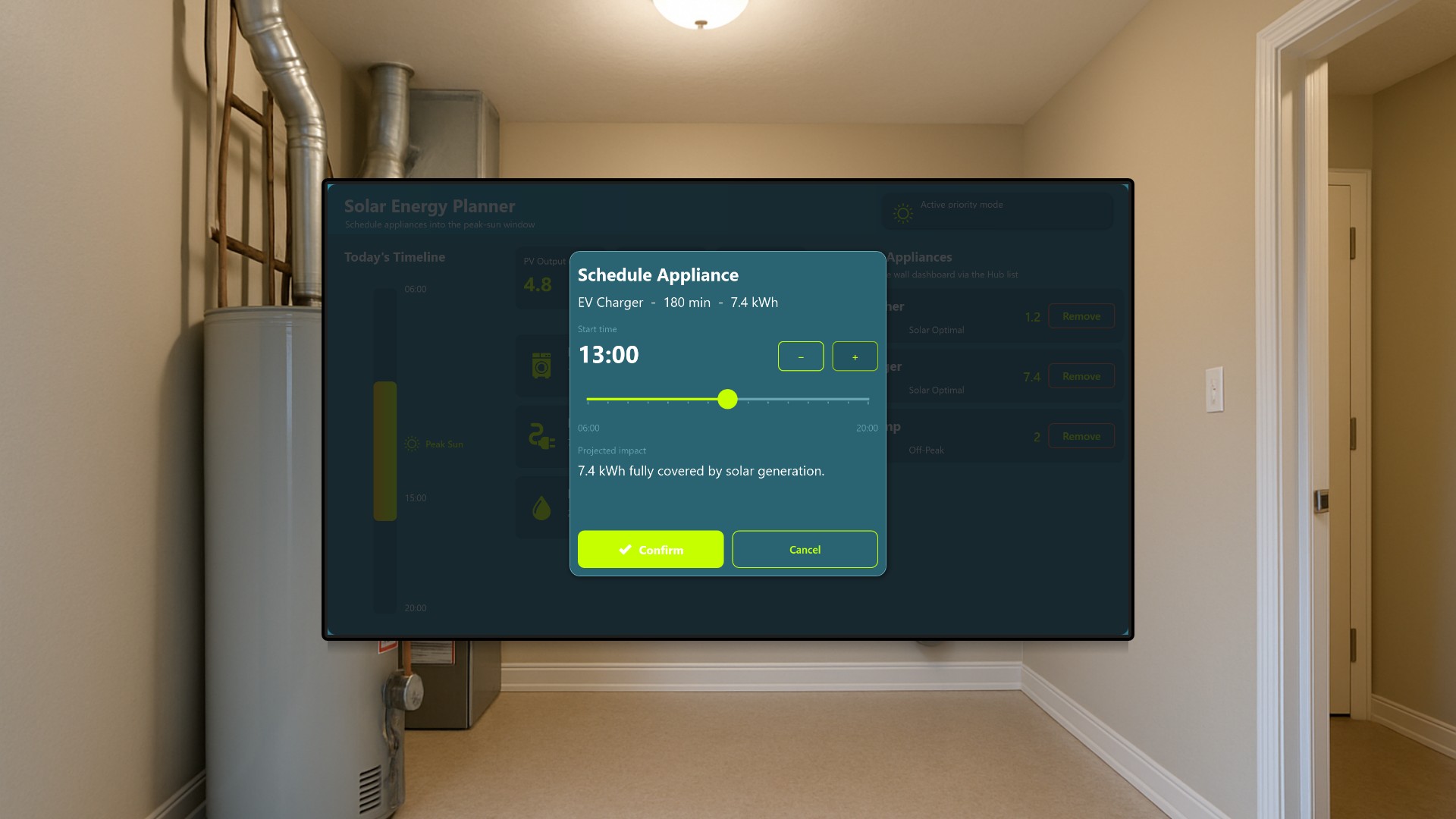
The Solar Energy Planner is the companion app, designed in a tall mobile-phone layout for a tablet or handset. Here the user actively schedules energy-hungry appliances - the dishwasher, the EV charger, the pool pump - into the peak-sun midday window.
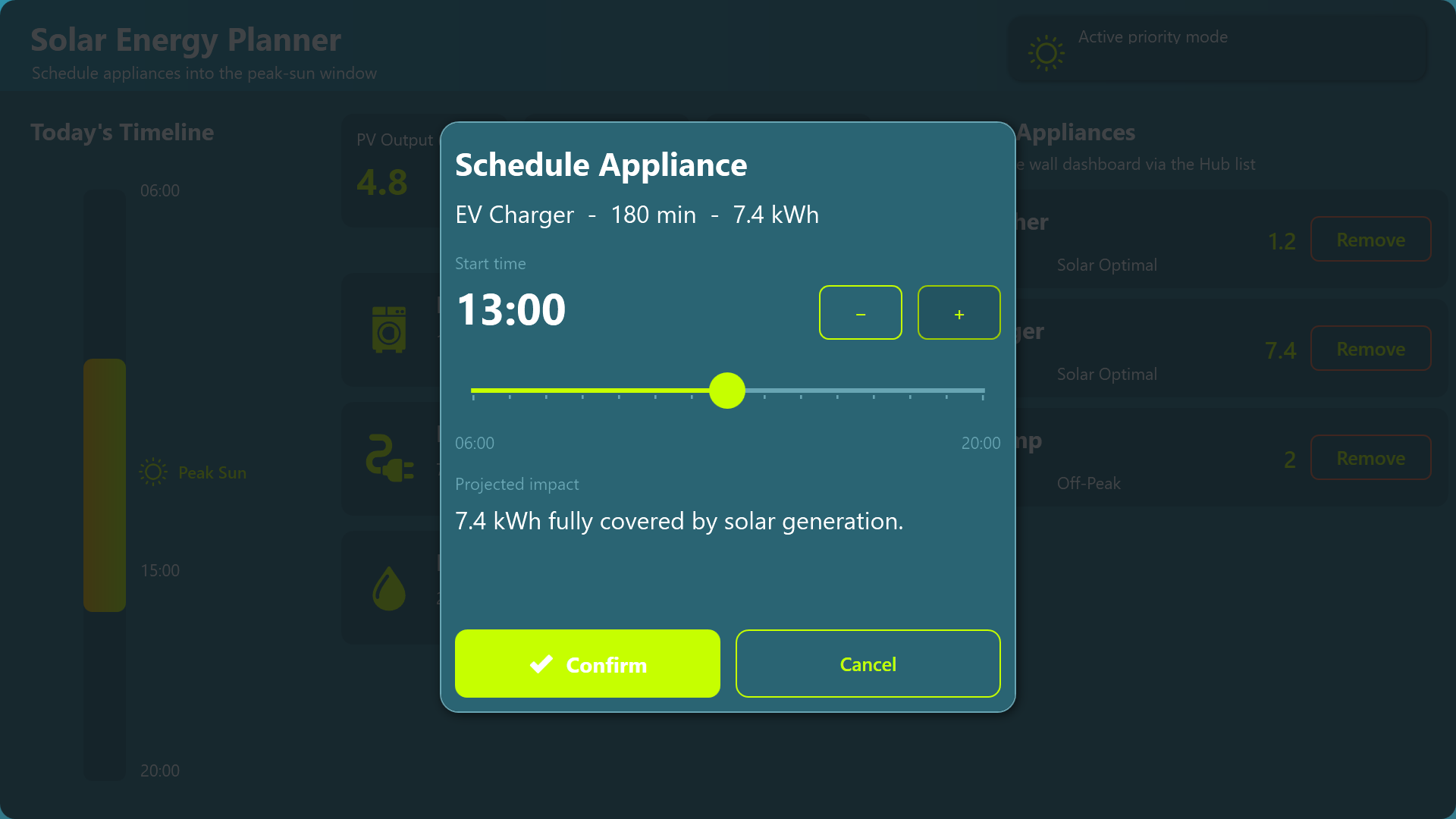
A vertical timeline highlights the golden Peak Sun band, and each appliance can be tapped to open a scheduling dialog where a slider and plus/minus buttons set the start hour. The dialog computes the projected energy impact in real time and warns the user if they schedule an appliance outside the optimal solar window.
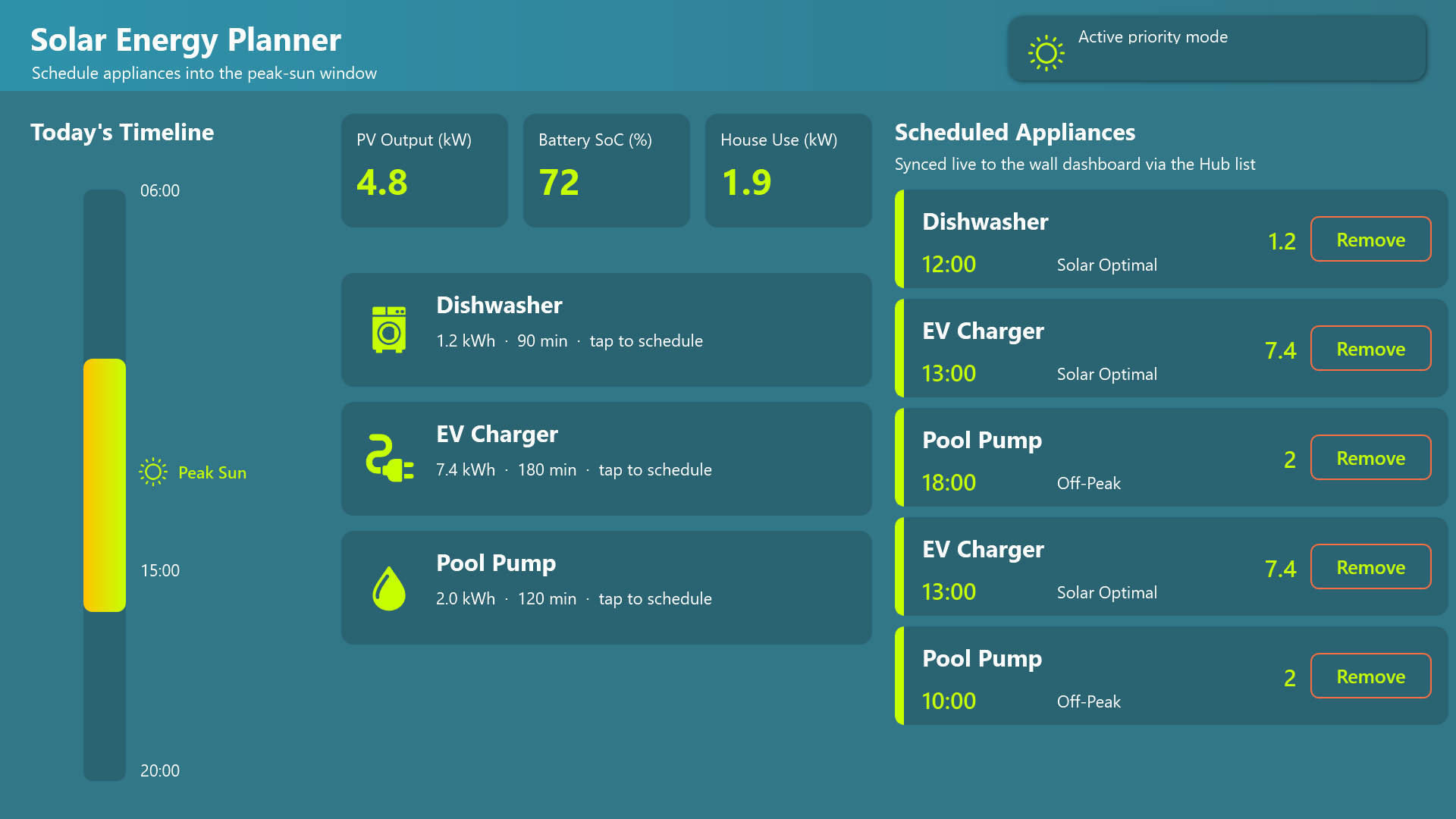
Confirmed schedules appear in a scrollable list and, crucially, are written to a shared Hub list that the wall dashboard reads instantly - so a change made on the planner immediately reshapes the projected battery curve on the dashboard across the room.
Two apps, one shared picture
What makes the suite more than the sum of its parts is the shared data layer. Both apps read live inverter readings from the same SQL data source, and the appliance schedule lives in a single Hub list. When someone moves the EV charger to noon on the planner, the dashboard’s projected battery curve updates without anyone walking over to touch it. The family plans on the couch and watches the consequences appear on the wall.
Conclusion
Together the two apps turn abstract energy data into concrete daily decisions, helping the household maximize self-consumption, protect the battery, and ride out the heat wave on as much free solar power as possible. The dashboard makes the current state impossible to miss, and the planner makes acting on it a matter of a few taps - exactly the kind of everyday control that turns a rooftop array into an actively managed micro power plant.