

A ski resort lives and dies by one simple question that thousands of people ask every single morning: which lifts are actually running? Skiers in the valley want to know before they buckle their boots. Operators in the control room want to change that answer the moment a gust of wind or a maintenance call forces a lift onto hold. In this article we look at a paired digital signage solution that keeps both sides perfectly in sync by building everything around a single shared truth: the live status of every lift on the mountain.
The trick is that there are two completely different apps with completely different audiences, but they read and write the same shared LiftStatus data list. When an operator in the control room flips a lift from Open to Hold, the guest screen down in the valley reflects that change within seconds, with no manual republishing and nobody phoning the base station to say “Lift 4 just went on hold.”
The Guest Screen
The first app, SkiGuestScreen, is the public-facing display. You place it in the valley station ticket hall, at the gondola boarding area, or in the lobby of a base-station restaurant or hotel. It greets arriving skiers and snowboarders with a calm, large-format overview of which lifts are running, how long the queues are, and what the snow and weather look like up on the mountain.
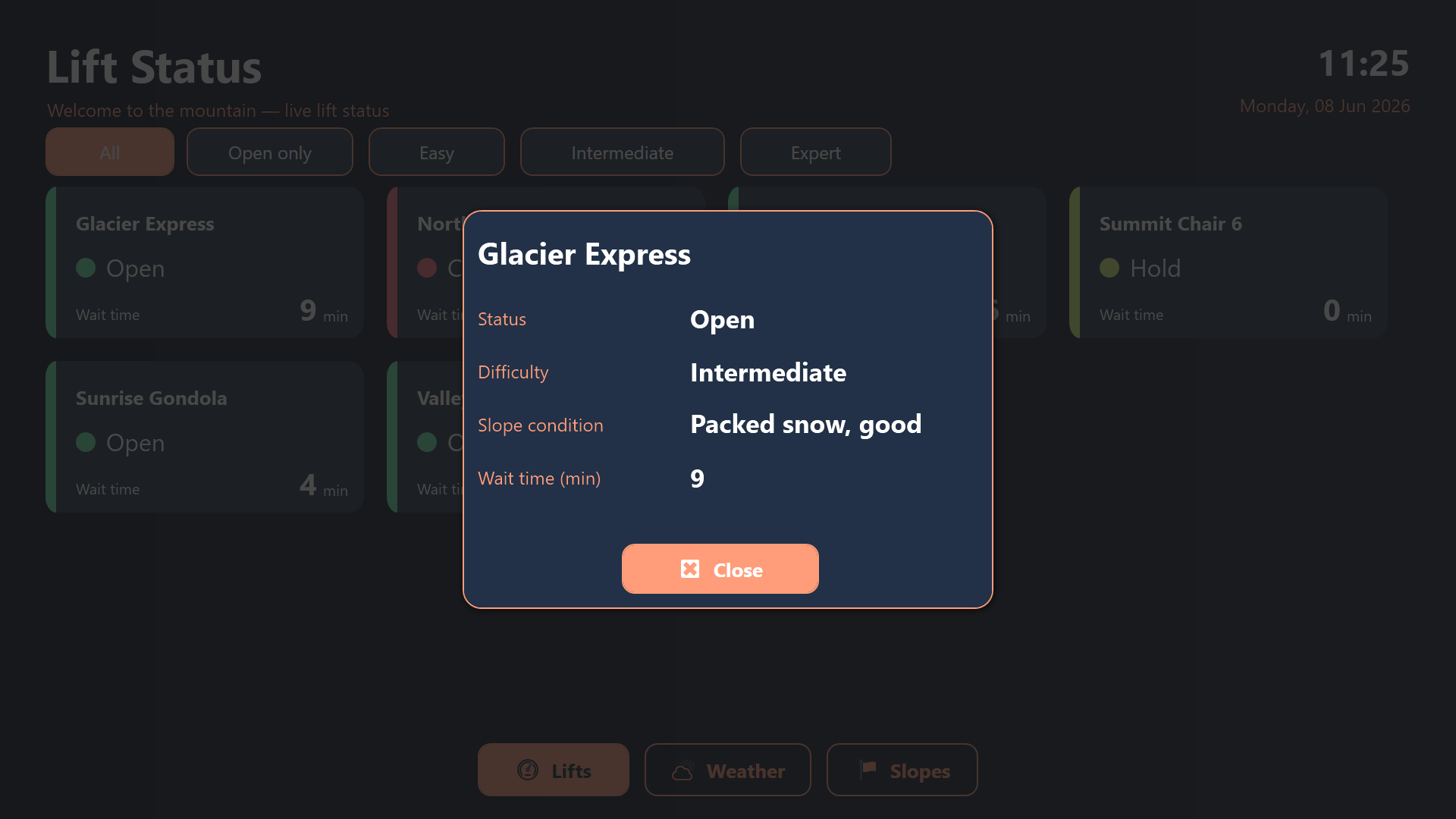
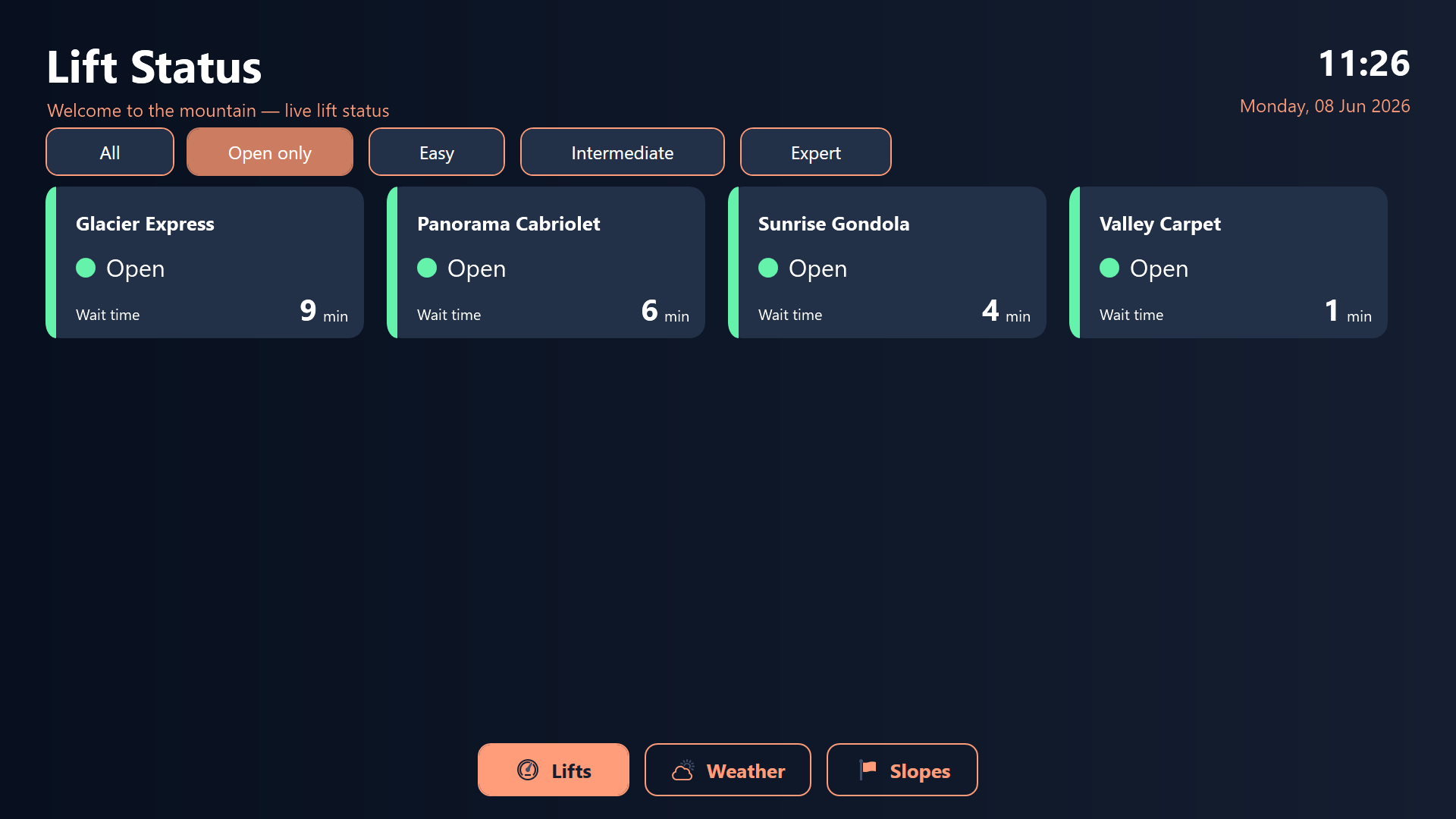
The design is deliberately uncluttered. A family deciding whether to head up for one last run, or a beginner checking whether the easy slopes are even reachable, can glance at this screen and instantly understand the state of the resort. Each lift gets its own tile with a clear status and a current wait time, so there are no surprises in the queue.
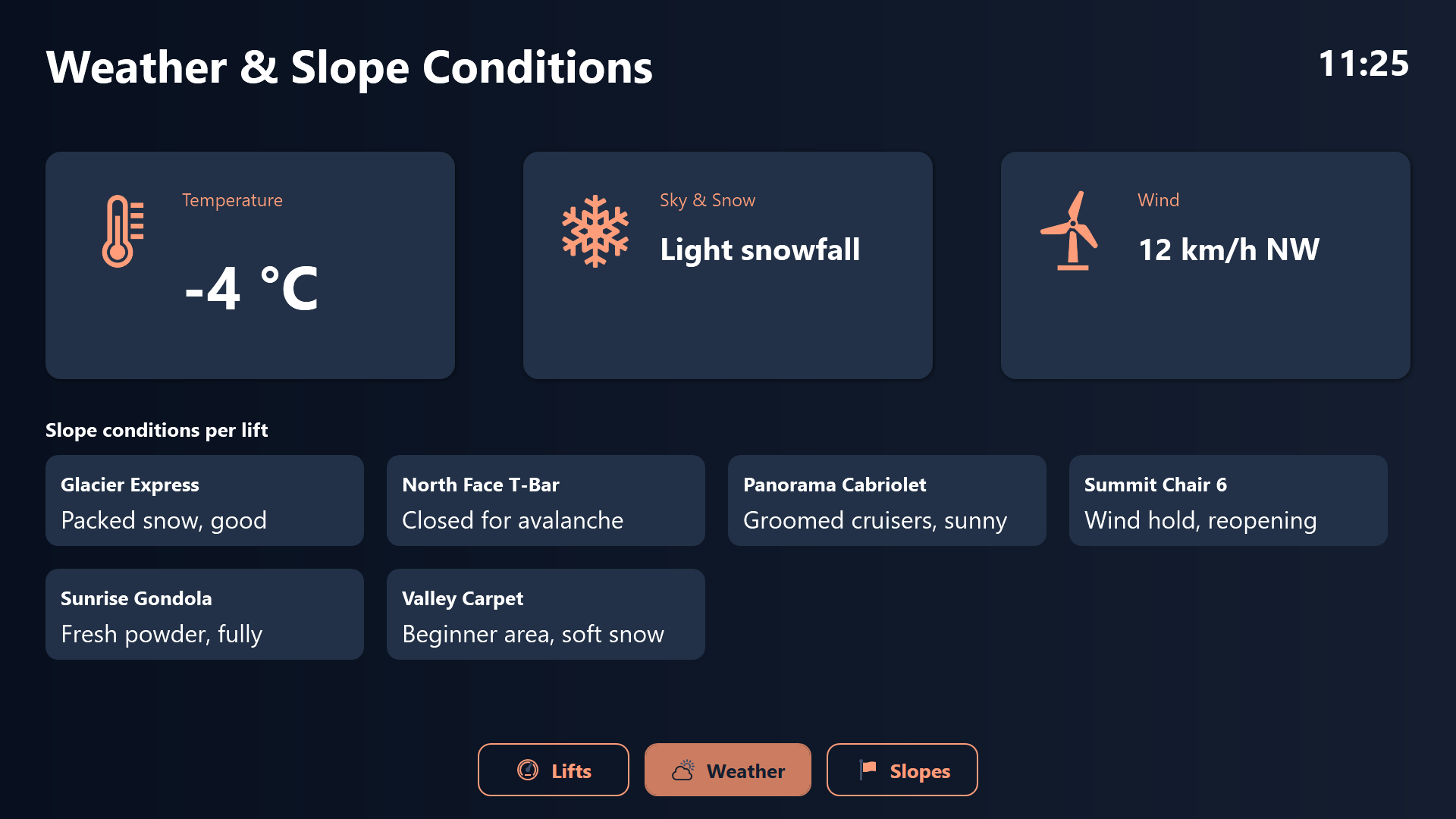
Guests can touch a difficulty filter to see only the runs they care about, and tap a single lift tile to read its full detail in a pop-up card. The screen also lets visitors flick between the lift overview, a dedicated weather panel, and a slope-difficulty summary that tells them how many blue, red, and black runs are actually reachable right now, not just how many exist on the trail map.
The Operations Control Room
The second app, SkiOpsControlRoom, is the staff-facing counterpart. It runs on a touch terminal or wall display in the lift operations office. The same lifts appear here, but stripped of any marketing polish and loaded with engineering telemetry instead: live cable tension, motor temperature, passenger throughput per hour, and a colored status badge for every lift.
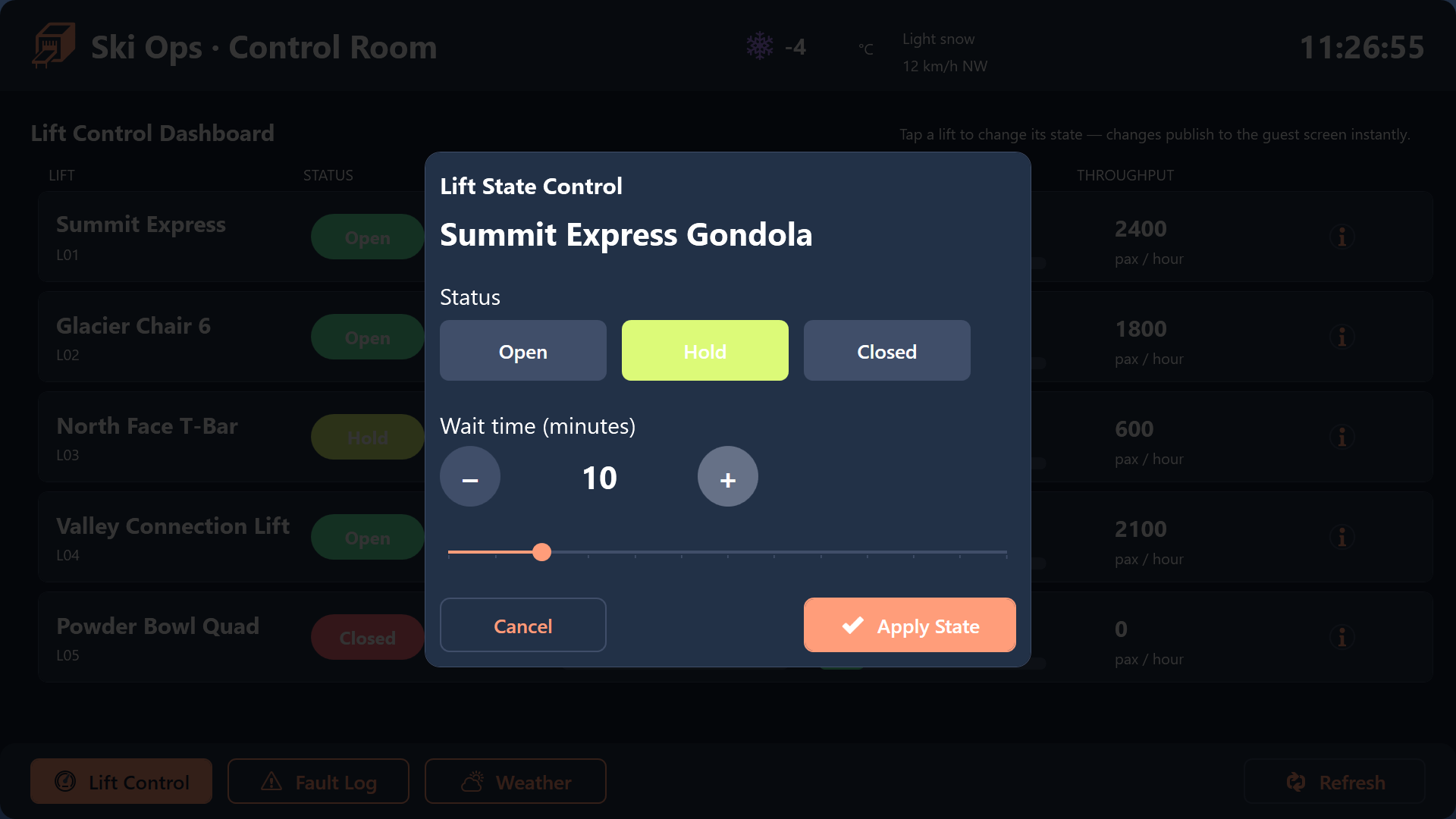
This is where the resort is actually driven. Tapping a lift opens a control dialog where operators set its state - Open, Hold, or Closed - and dial its wait time up or down. Closing a lift triggers a deliberate confirmation step, because that action is instantly visible to every guest in the valley. The small bit of friction is intentional: a mis-tap should never black out a public screen.
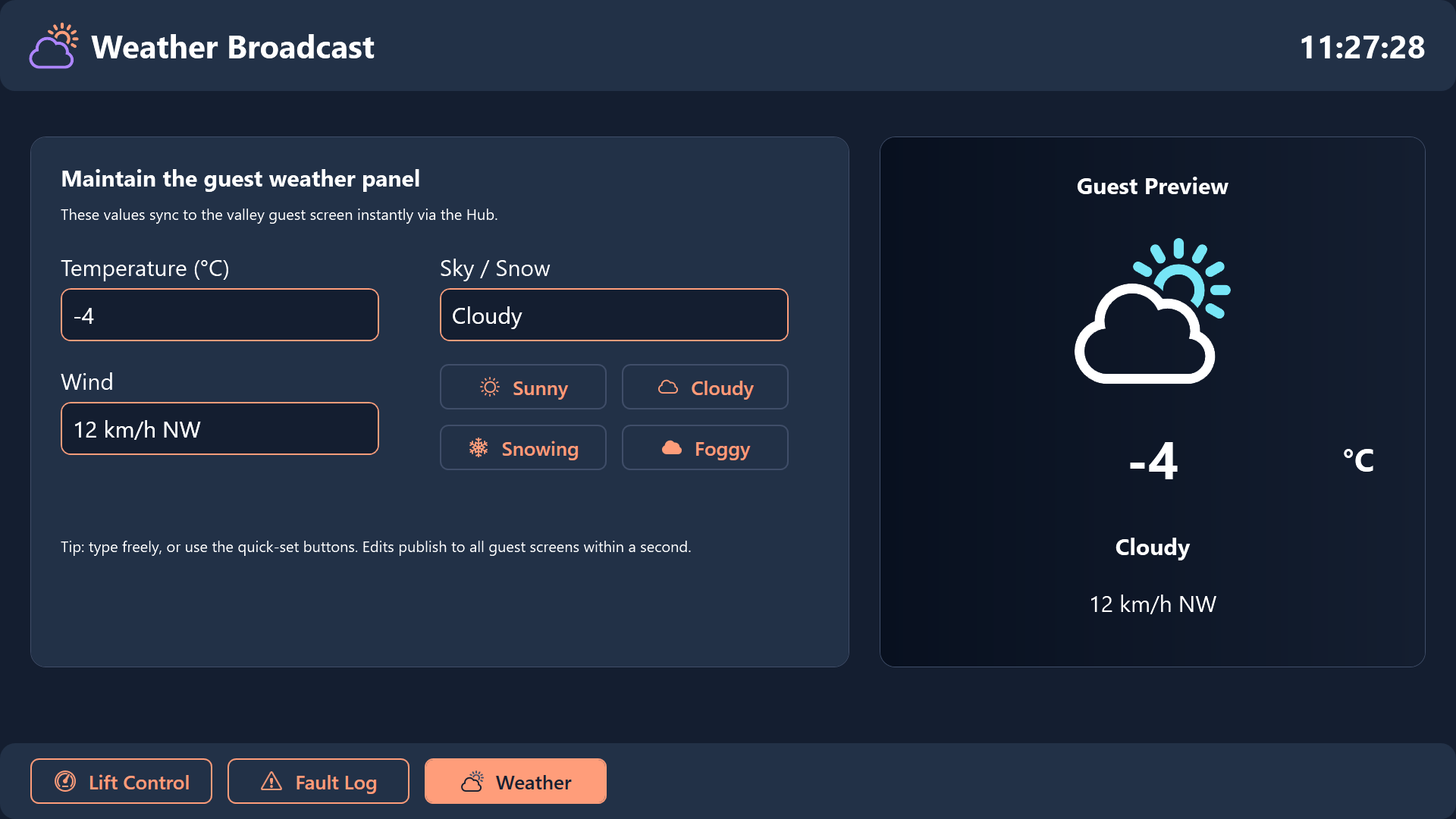
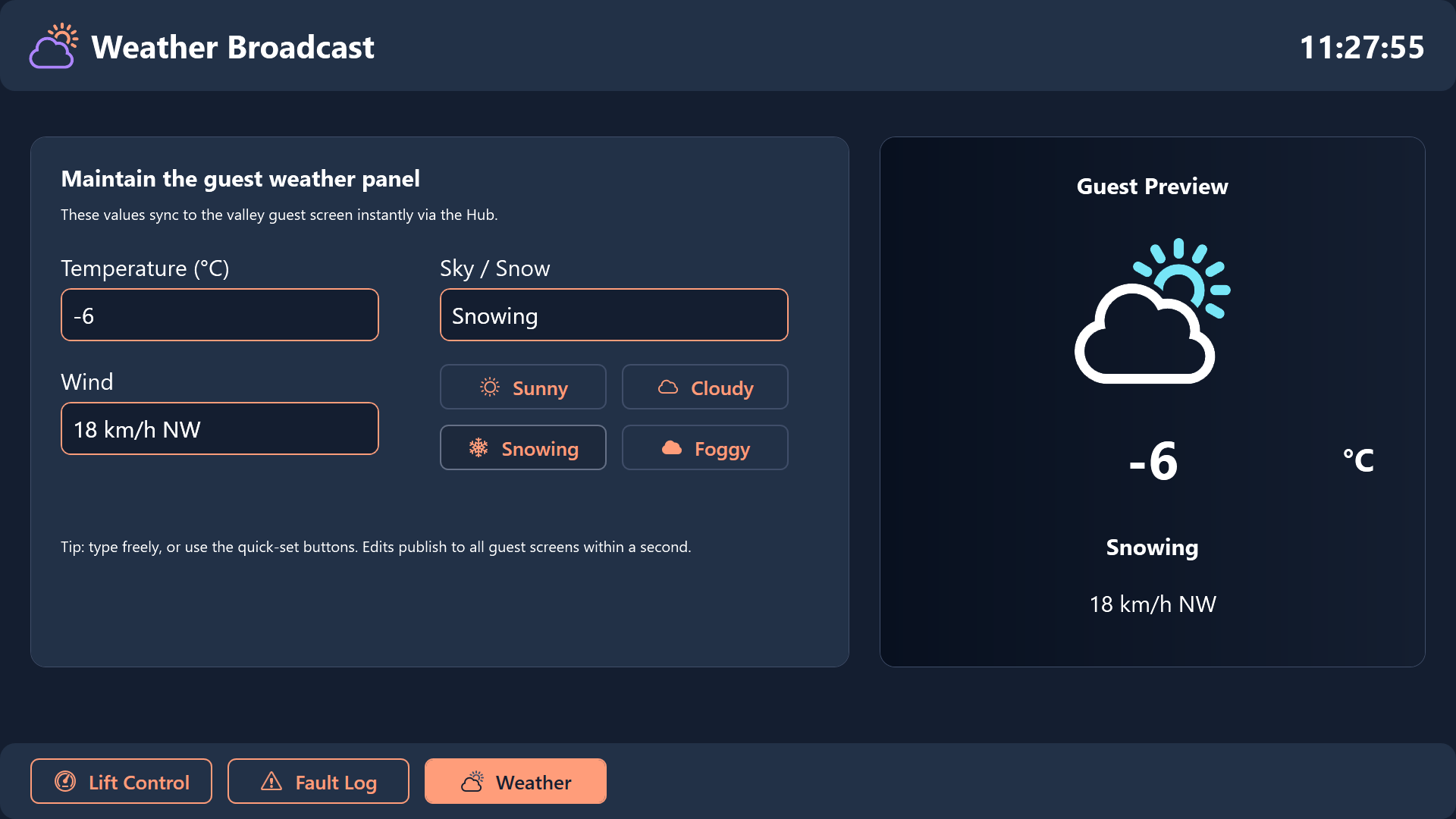
A dedicated Fault Log screen lets technicians record new faults with a severity level and a description, browse the most recent incidents, and mark them resolved once a problem is fixed. There is also a weather broadcast screen where the control room maintains the temperature, wind, and sky/snow text that the guest screen displays - complete with a live preview of exactly how guests down in the valley will see it.
One Shared List, One Closed Loop
What makes this pair work is that neither app owns the data alone. Both read from and write to the same LiftStatus Hub list. The control room writes the truth - states, wait times, weather text - and the guest screen reads it. Because the list is the single point of coordination, there is no risk of the two screens disagreeing, and no integration glue to maintain between them.
The result is a tidy operational loop: operations changes reality, guests see the truth, and the gap between “we just put Lift 4 on hold” and “the valley screen says Lift 4 is on hold” shrinks from a phone call to a few seconds.
Conclusion
This project shows how two very different audiences - relaxed guests in the valley and focused operators in the control room - can be served by one shared source of truth. The guest screen stays calm and welcoming, the operations app stays technical and precise, and the shared Hub list keeps them honest with each other automatically. Download both projects below and adapt the lift names, slope difficulties, and telemetry fields to your own mountain.