
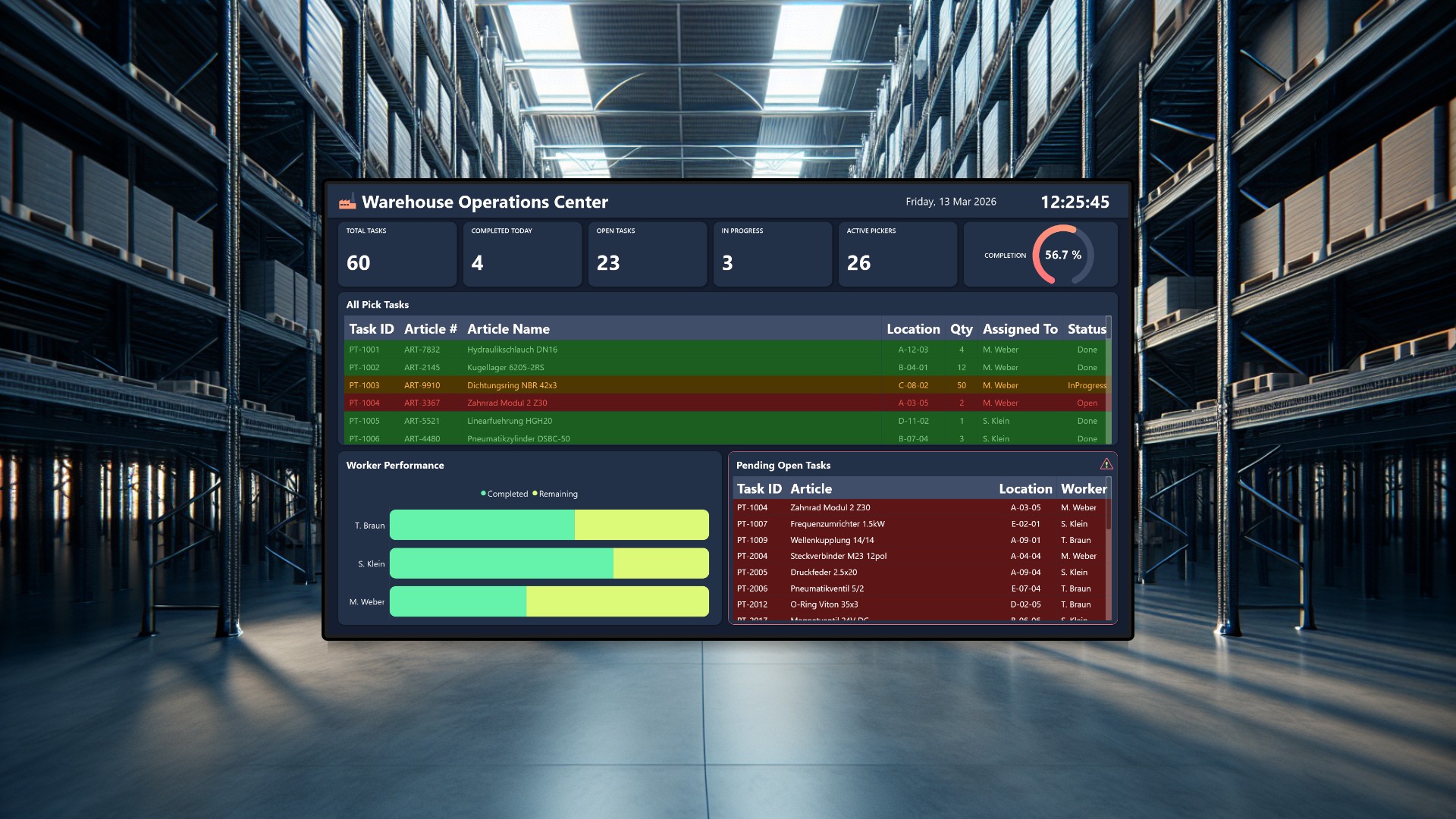
Warehouse pick and pack operations live and die by speed and accuracy. Pickers need a clear view of their next task, and supervisors need to know at a glance whether the team is on track or falling behind. This two-part system connects a handheld picker terminal with a wall-mounted supervisor dashboard, both communicating through Peakboard Hub in real time.
The Picker Terminal
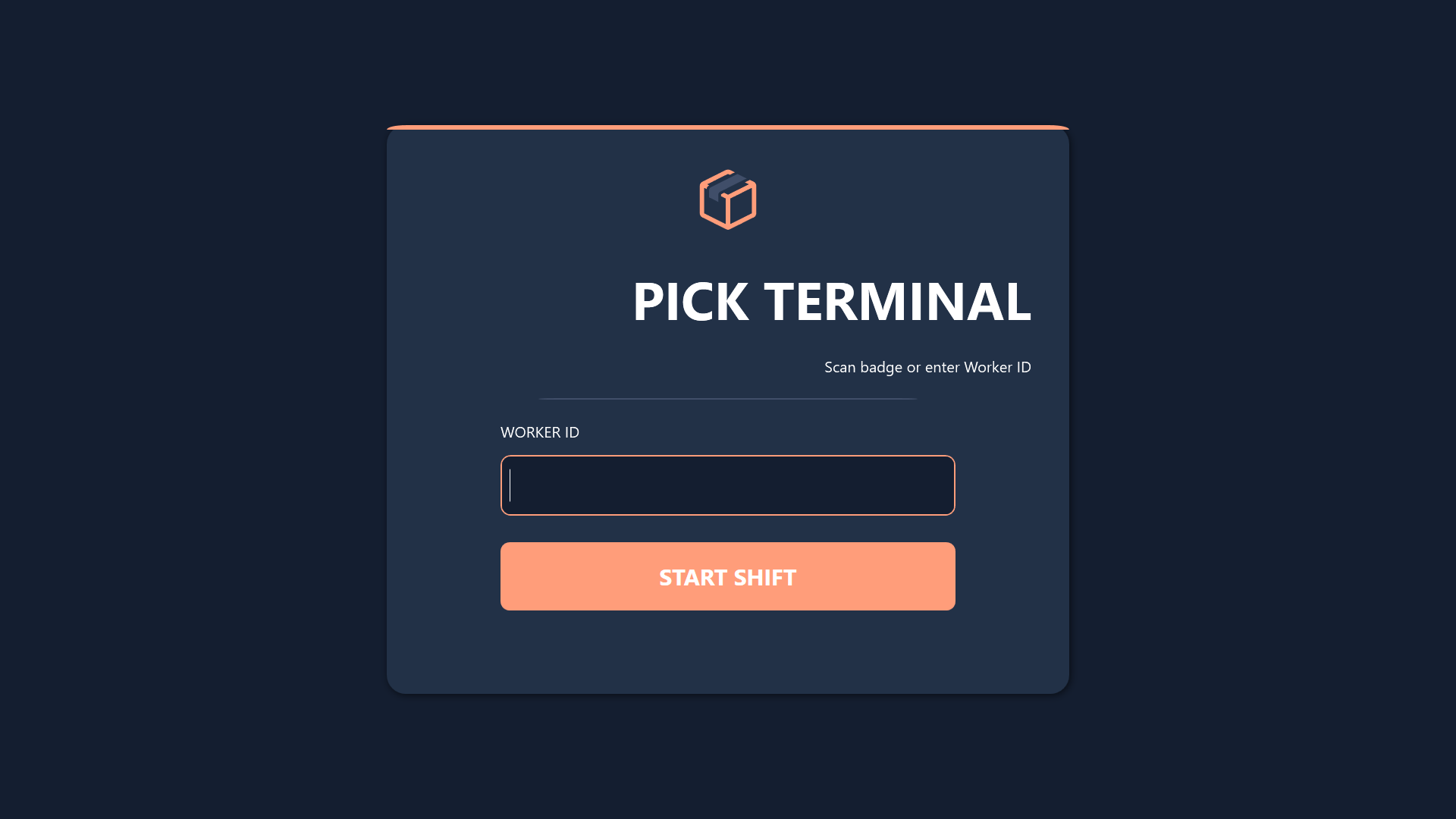
The picker terminal is designed for use on handheld devices or mounted stations on the warehouse floor. Workers log in with their worker ID, either by typing it in or scanning a badge. Once logged in, they see a filtered list of their open pick tasks, each showing the article number, article name, storage location, and required quantity.
When a picker arrives at the location and grabs the item, they confirm the pick through a simple dialog that includes a quantity check. Completed tasks are immediately marked as done in the Hub, and the progress bar at the bottom updates to show how many tasks the worker has finished versus how many remain. Color-coded status indicators make it easy to distinguish between open and in-progress tasks at a glance.
The Supervisor Dashboard
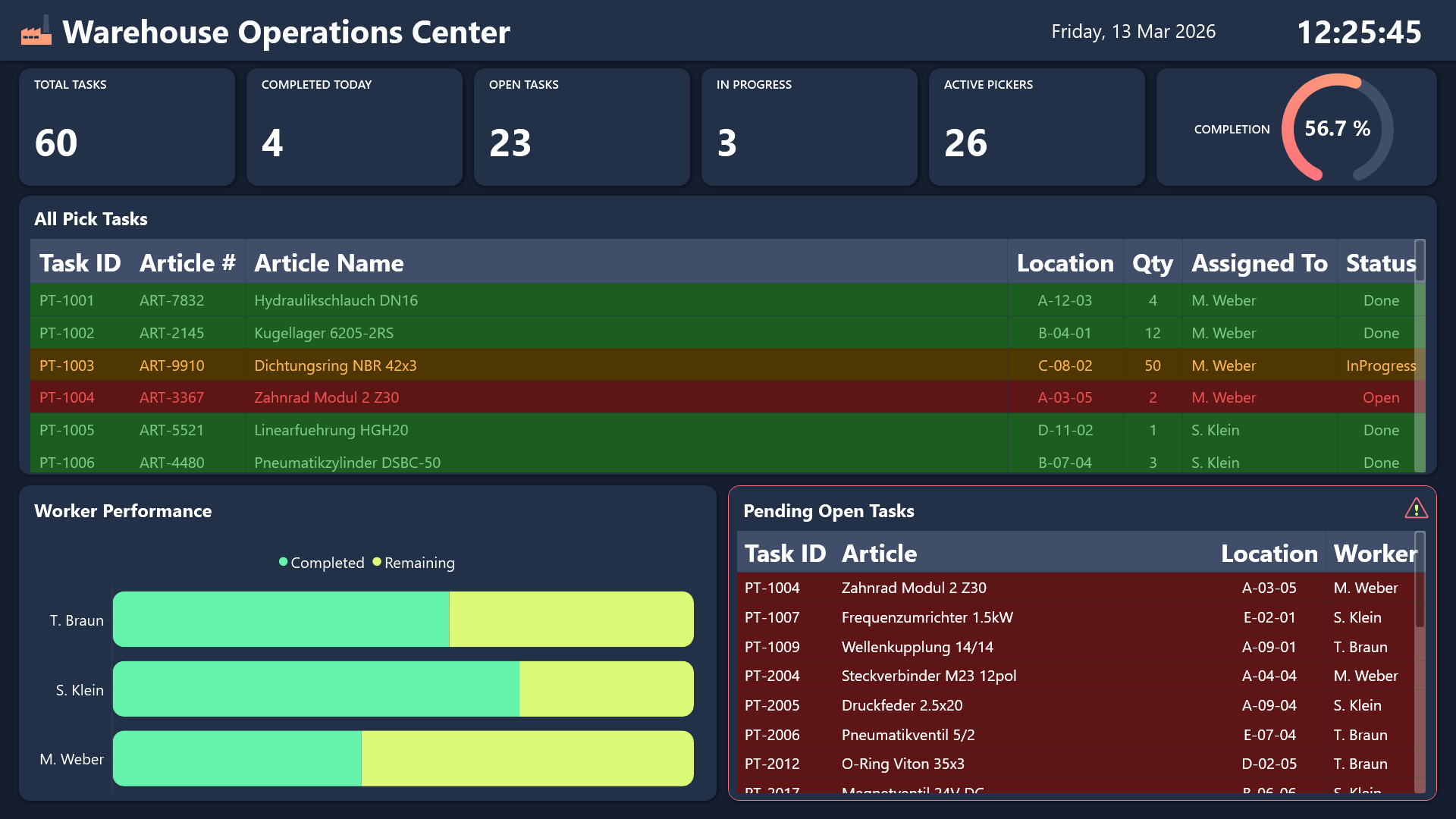
The supervisor dashboard is a wall-mounted screen that gives warehouse managers a bird’s-eye view of the entire operation. Six KPI tiles across the top show the numbers that matter most: total tasks, open tasks, tasks in progress, completed tasks, active pickers, and tasks completed today.
A circular gauge in the center displays the overall completion percentage, making it immediately obvious how close the team is to finishing the current workload. Below that, a task table highlights overdue or critical items with color coding so nothing slips through the cracks. A separate worker performance table breaks down each picker’s assigned, completed, and remaining tasks, while a bar chart visualizes the same data for quick comparison. Supervisors can spot bottlenecks, reassign work, or step in to help without ever leaving the dashboard screen.
How they work together
Both applications share a common set of resources in Peakboard Hub. A Hub list called wh_PickTasks holds all pick tasks with their status, assigned worker, article details, and location. Two Hub variables, wh_ActivePickers and wh_CompletedToday, track workforce activity and daily progress. When a picker confirms a task on the terminal, the Hub list updates instantly, and the supervisor dashboard reflects the change on its next refresh cycle. This means the supervisor always has an accurate, up-to-date picture of warehouse throughput without any manual reporting.
Result
Together, these two dashboards turn a chaotic pick and pack process into a streamlined, transparent operation. Pickers stay focused on their own task queue without distractions, while supervisors can monitor team performance, catch delays early, and make data-driven decisions about workload distribution. The system scales naturally as you add more pickers or expand to additional warehouse zones.