
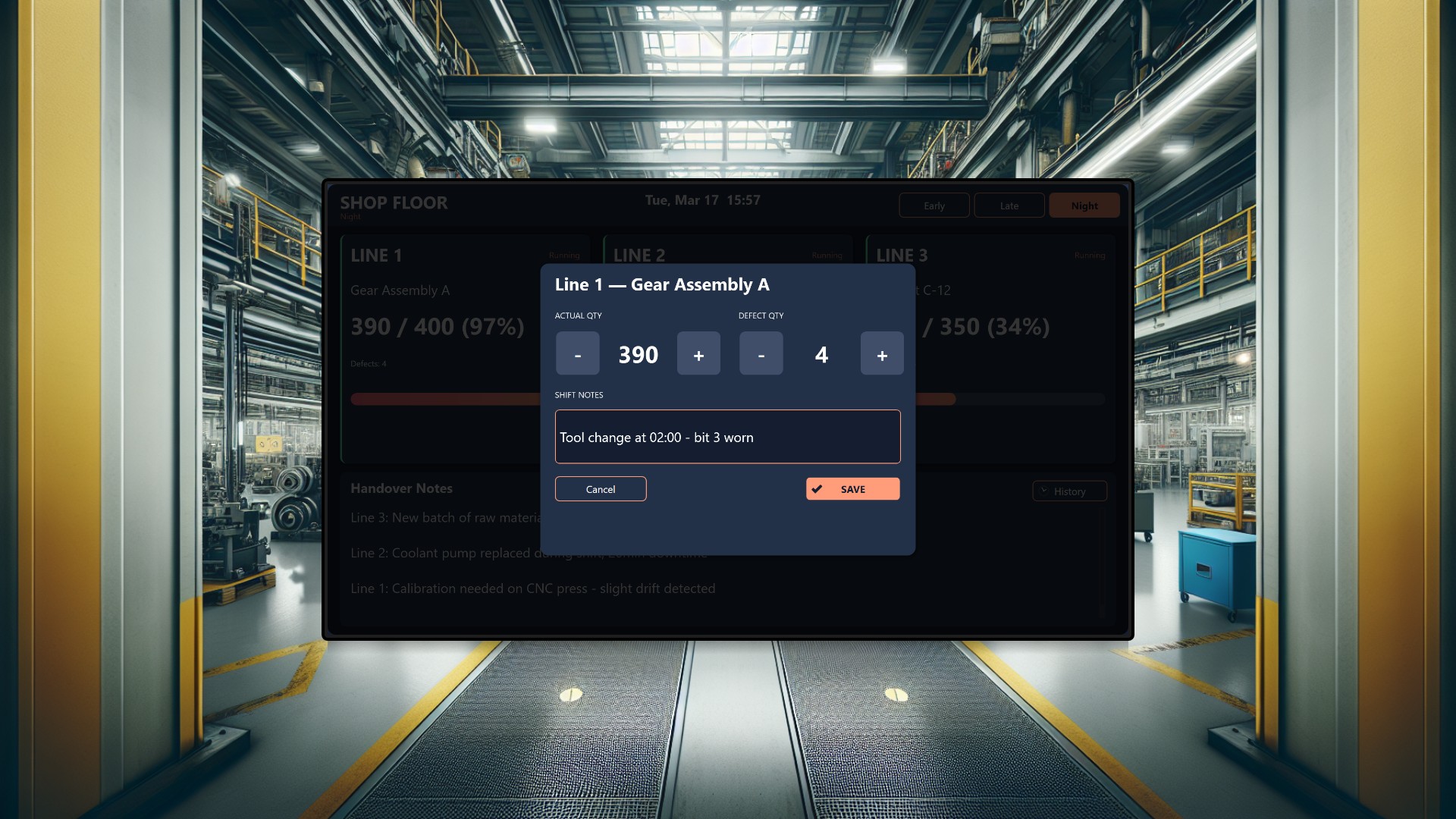
On a busy production floor running three parallel manufacturing lines across rotating Early, Late, and Night shifts, keeping everyone aligned on output targets, quality metrics, and cross-shift communication is a constant challenge. Verbal handovers get lost in the noise of the factory, paper logs are outdated by the time anyone reads them, and managers in the office have no real-time visibility into what is happening on the floor. This two-application suite solves that problem by giving shop floor operators and office management each exactly the information and interaction they need - displayed on screens placed where decisions happen.
The Shop Floor App
The Shop Floor App is designed for large touchscreen displays mounted at the end of each production area, visible to line operators, team leads, and shift supervisors as they move between stations. When operators clock in at the start of their shift, the screen immediately prompts them to enter their name, ensuring every data update is attributed to the right person.
The main view shows three large cards, one per production line, each displaying the current product being manufactured, a live actual-vs-target counter, defect counts, and a gradient progress bar that fills toward the shift goal. The left border of each card glows green when the line is running, red when stopped, and yellow during maintenance - giving an instant visual pulse of the entire factory floor from across the room.
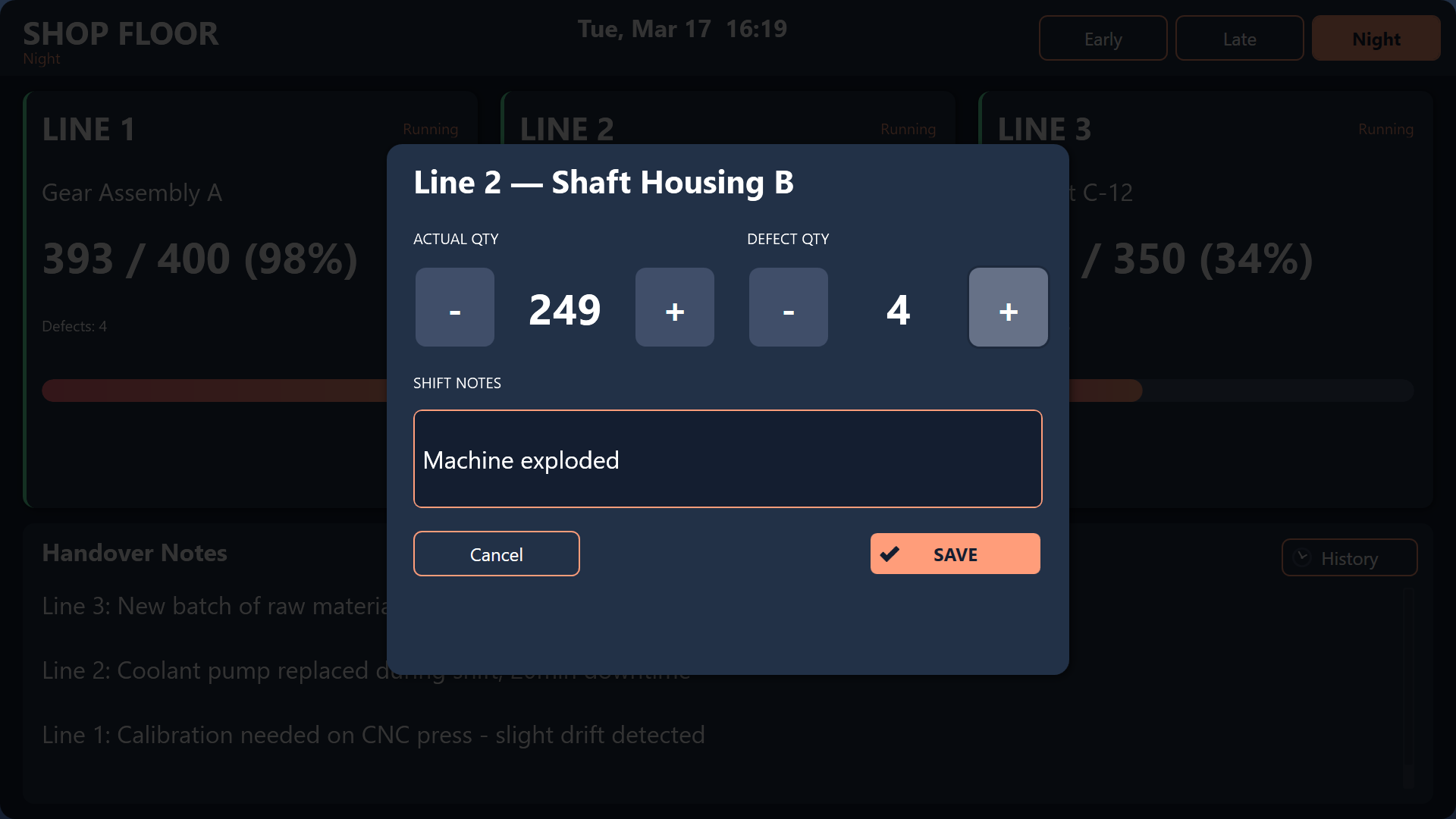
Operators interact directly with the display: tapping a line card opens an edit dialog with large stepper buttons for updating actual and defect quantities, plus a free-text notes field for flagging issues like “Conveyor belt tension needs adjustment” or “Material batch #4872 running slightly off-spec.” These notes carry forward to the next shift - the bottom section of the screen permanently displays handover notes left by the previous shift, so incoming operators know exactly what to watch for without relying on a verbal briefing.
A History screen lets operators scroll through the full shift log, with rows color-coded red when production fell below 85% of target and green when targets were exceeded. This makes it easy to spot patterns and recurring issues at a glance.
The Office Overview App
The Office Overview App lives on a wall-mounted display in the production manager’s office or a shared management area. It is a read-only dashboard that pulls the same data but presents it through an analytical lens.
Three circular gauge widgets show efficiency percentages per line at a glance, with card borders that turn red when any line drops below 85% efficiency - a visual alarm that draws the eye immediately. A detailed table below breaks down every product run in the current shift, with rows color-coded by performance: green for on-track, red for behind, and blue for lines exceeding their targets.
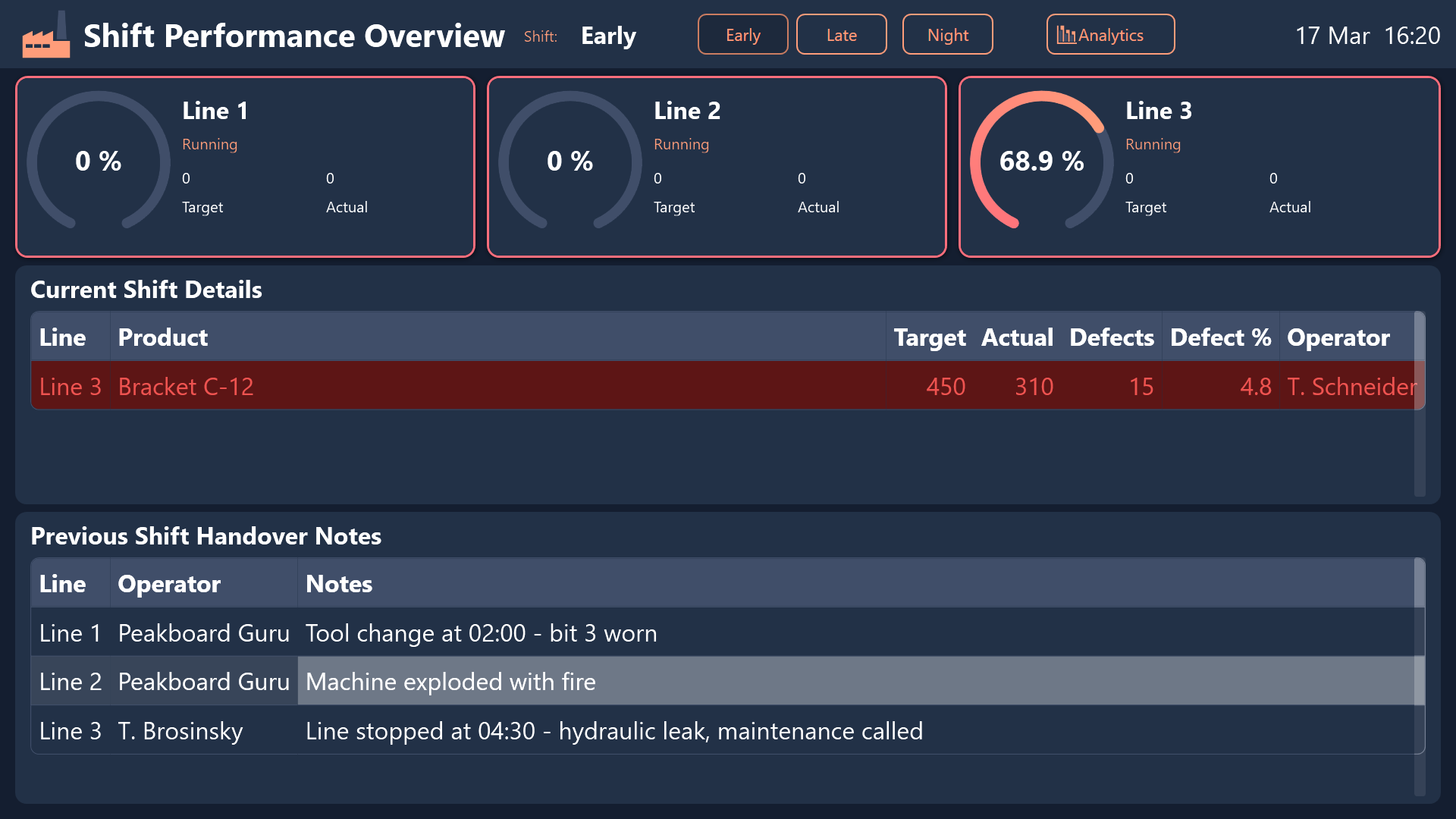
The lower section surfaces the same handover notes from the previous shift, so managers reviewing morning performance can see what the Night shift flagged without walking to the floor.
For deeper analysis, managers can tap through to an Analytics screen showing a grouped bar chart comparing target versus actual production across all three lines, and a doughnut chart breaking down how defects are distributed by line - quickly revealing whether quality problems are concentrated on one line or spread evenly.
Real-time synchronization
The two apps share state through Peakboard Hub MQTT variables. When a shop floor operator switches the active shift, the office dashboard updates automatically. Line status changes - Running, Stopped, or Maintenance - propagate instantly across both displays. This shared-state architecture means the office always sees what the floor sees, without anyone needing to make a phone call or send an email.
Shift toggle buttons on both apps let users switch between Early, Late, and Night views to compare performance across the day, making it simple to identify which shifts consistently hit their targets and which need support.
Conclusion
This two-app suite eliminates the communication gap between the shop floor and the office. Operators get a purpose-built touchscreen interface for logging production data and leaving handover notes, while managers get a real-time analytical dashboard with efficiency gauges, performance tables, and defect breakdowns. Because both apps share the same live data, every stakeholder works from a single source of truth - no delays, no miscommunication, and no information lost between shifts.