
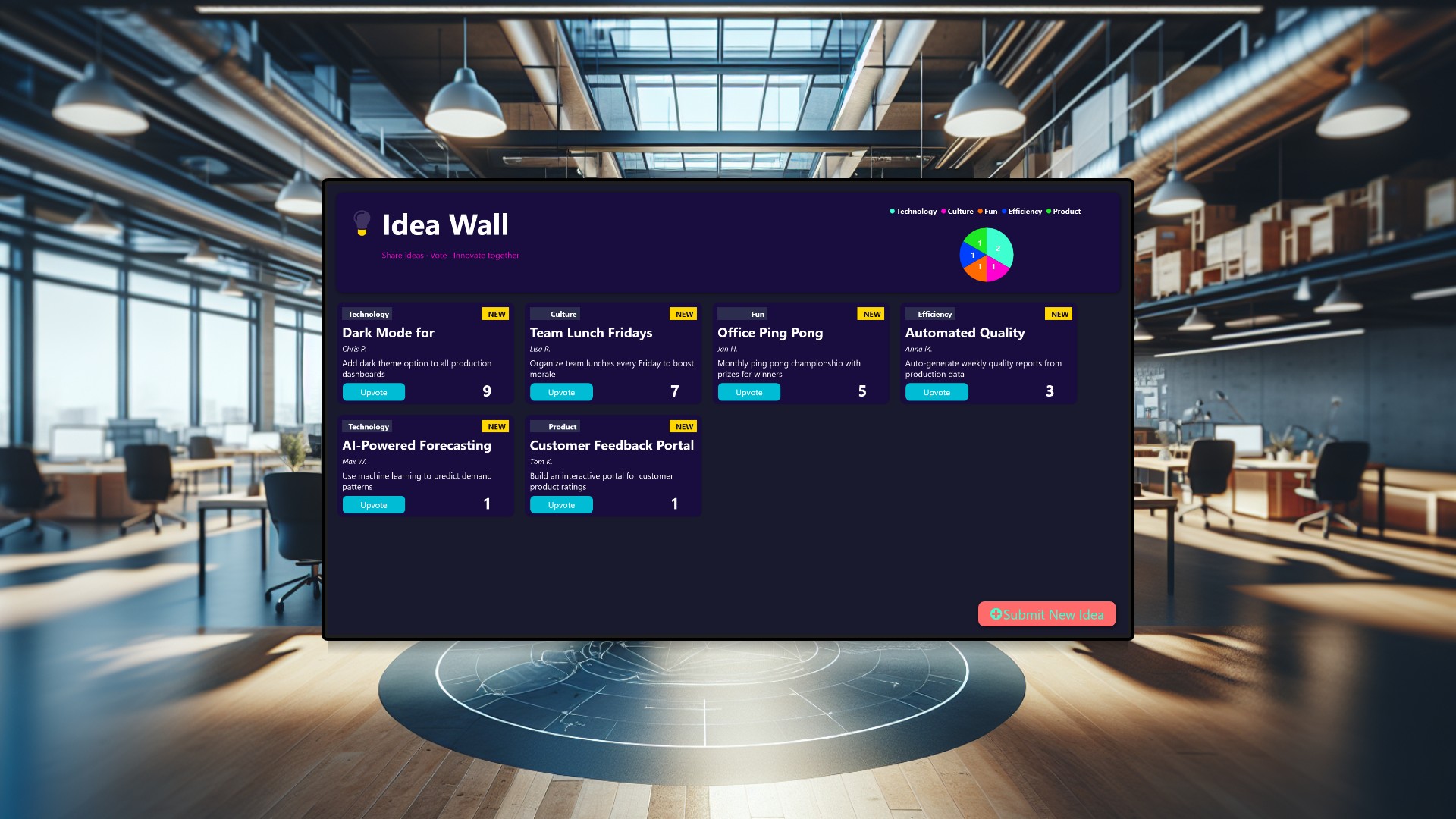
Great ideas are everywhere in the workplace - during coffee breaks, in the elevator, or walking past a colleague’s desk. But without a visible, low-friction way to capture them, most of those sparks fizzle out before anyone else even hears about them. In this article, we build an Interactive Idea Wall that turns a single large touchscreen into a company-wide suggestion board. Employees can submit new ideas, browse what others have proposed, and upvote their favorites - all in under thirty seconds, no app install required.
The problem with invisible ideas
Most organizations already have ways to collect feedback - suggestion boxes, Slack channels, email threads, or quarterly surveys. The trouble is that none of these are visible. A suggestion box sits in a corner, and nobody knows what is inside. A Slack thread gets buried under memes and meeting links. The result is always the same: ideas stay siloed, and the people who could champion them never find out they exist.
What if every idea lived on a big screen in the lobby, right where people naturally pass by? That changes the dynamic completely. Suddenly, proposing an idea feels less like shouting into the void and more like pinning a note to a busy bulletin board where hundreds of eyes will see it throughout the day.
How the Idea Wall works
Picture a 55-inch touchscreen mounted at eye level in your office lobby or a central break area. The display shows a clean, dark-themed dashboard with two main zones.
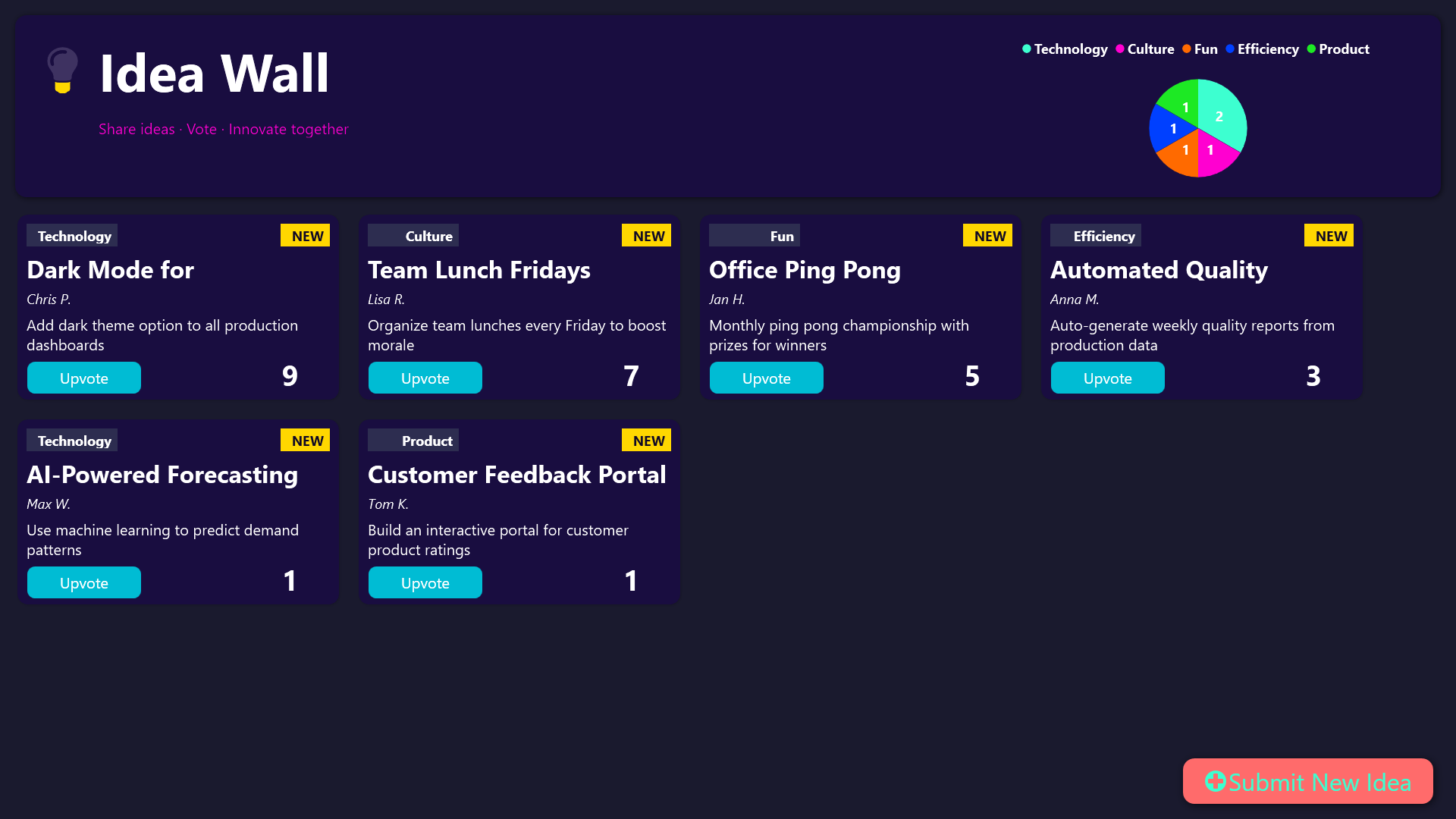
At the top, a header bar displays the title “Interactive Idea Wall” alongside a pie chart breaking down idea categories - Efficiency, Product, Culture, Technology, and Fun. This gives leadership and passersby an instant pulse check on what the team is thinking about.
Below the header, idea cards are arranged in a scrollable grid. Each card shows the idea title, the name of the person who submitted it, a short description, and a live vote count. Ideas submitted today get a bright “NEW” badge so fresh contributions stand out. When an idea crosses ten votes, it earns a golden border - a visual signal that this one has momentum and community support.
Submitting a new idea
Anyone walking by can tap the coral-colored “Submit New Idea” button on the touchscreen. A simple form appears asking for just four things: your name, an idea title, a short description, and a category. The category picker uses visual tiles rather than a dropdown, making it fast and intuitive to choose between Efficiency, Product, Culture, Technology, or Fun.
The whole process takes less than thirty seconds. There is no login, no account creation, no approval workflow. The idea appears on the board immediately, and everyone in the building can see it.
Voting and ranking
Each idea card has an “Upvote” button. Tap it, and the vote count increases instantly. The board automatically re-sorts so the most popular ideas float to the top. This creates a natural feedback loop - popular ideas get more visibility, which drives even more votes.
Over the course of a week, you can watch the landscape shift. A quiet Monday might see a handful of process improvement suggestions, while a Friday afternoon might bring a wave of “Fun” category ideas. The pie chart in the header tracks these trends in real time.
What leadership learns from the wall
For managers and executives, the Idea Wall is more than a suggestion board - it is a barometer of organizational health. The category distribution chart tells a story:
- If Efficiency ideas dominate, the team is feeling operational friction. There may be processes worth streamlining.
- If Technology ideas spike, people are eager to experiment and modernize.
- If Culture and Fun categories are active, morale is likely healthy, and people feel safe enough to suggest non-work ideas.
- If the board is quiet overall, that itself is a signal worth investigating.
None of this requires surveys, town halls, or one-on-one meetings. The data just appears naturally as people walk by and interact with the screen.
Why visibility changes everything
The magic of a physical display in a shared space is that it removes every barrier to participation. There is no app to download, no portal to bookmark, no password to remember. You see the screen, you tap it, you are done. And because the board is public, submitting an idea feels like a small act of contribution rather than a formal request.
It also creates organic conversations. Two colleagues standing in front of the wall might notice the same idea and start discussing it on the spot. A manager might see an idea with fifteen votes and decide to bring it up in the next team meeting. The wall becomes a catalyst for the kind of spontaneous collaboration that no digital tool can fully replicate.
Conclusion
The Interactive Idea Wall proves that sometimes the simplest solutions have the biggest impact. By placing a touchscreen in a high-traffic area and giving people a frictionless way to share and support ideas, you unlock a stream of creativity that would otherwise stay hidden in inboxes and hallway chatter. The board sorts itself, highlights what matters, and gives leadership a live window into what the team cares about - all without a single meeting or email thread.